GetAssetPack

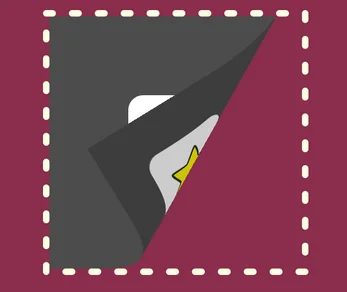
Godot pageflip shader animation
Godot pageflip shader animation
Price
$2.99
Type
Animations
Creator
luiz734
Engine
Godot
Animation
Animated

A Godot 4.2.2 shader demo creates a customizable 2D page-turn effect for book-like animations, with tutorials and a cheatsheet.

A ready-to-use, fully customizable pageflip shader animation made for Godot.

Available on

Search by image

Upload a reference to find previews with similar colors, contrast, and detail.

Godot pageflip shader animation

Godot pageflip shader animation1 / 2
luiz734 · itch.io$2.99
Animations
License not indexed
  • i Check the terms on the original listing.
Show full terms

A ready-to-use, fully customizable pageflip shader animation made for Godot.

A Godot 4.2.2 shader demo creates a customizable 2D page-turn effect for book-like animations, with tutorials and a cheatsheet.

View original listing

Description

Demo

This pageflip shader provides a good-looking page-turning effect, perfect for creating interactive book-like animations in your project. The shader simulates the 3D visuals of a page flip in 2D, offering a visually appealing and smooth transition. Made for Godot 4.2.2.

Assets:

Features:

Show full description...
  • Good-looking 2D Effect: Simulates the look and feel of turning a real page.
  • Multiple Sprites Support: Works seamlessly with multiple sprites.
  • Transparency: Supports transparent textures, ensuring versatility in design.
  • Customizable Parameters: Easily adjust parameters to fit your needs.

Interactive Tutorial:

To help you get started, we provide an interactive tutorial that guides you through integrating and customizing the shader in your project.

  • Setup: Follow the on-screen instructions to add the shader files to your project. The tutorial will guide you through copying the src/* files and setting up the necessary nodes.
  • Customization: Learn how to adjust the shader parameters. Use the mouse_pos[/color to control the flip animation interactively. The tutorial includes a live preview feature, allowing you to see changes in real time.
  • Experimentation: Try different configurations and see how they affect the page flip. The tutorial provides a cheatsheet with detailed explanations and screenshots for reference.
  • Advanced Tips: Explore additional customization options, like using extra viewports for more complex flipping effects or use some of the builtin animations.
  • Support: If you encounter any issues or have questions, ask me.

By the end of the tutorial, you'll have a fully functional pageflip shader integrated into your project, customized to your specific requirements.

Tags

cheatsheetdemoGodotpageflipShadersTutorial

Downloads