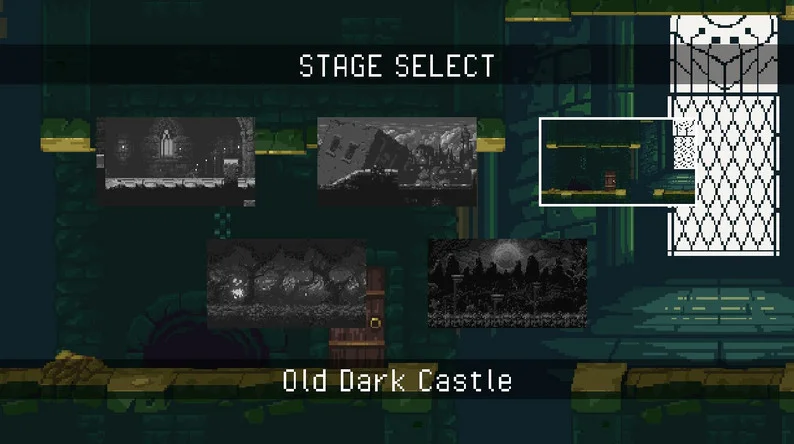
This is a small project that I used to study, focused on people that are both starting at Godot or just migrating. Features are listed below, there also some other few things that the demo has. In case of any doubt, problems or feedbacks please consider commenting.
Show full description...
However, I do not have authorship under any of the arts in this project. The arts are free to use for personal projects and some for commercial projects as well. All the owners of the arts are listed here and the link to the specific asset is also in the respective folders (as well as here).
I emphasize, however, if you want to use some art for commercial projects that consult the author of the art. As for the code, the project is for study purposes and can serve as a basis for other projects. There is no need for credits but comments are appreciated.
I especially thank the videos of the Game Endeavor channel, which served as a basis for character movement and other things.
The channel can be accessed through the link: https://www.youtube.com/c/GameEndeavor/featured
Link to the pages where I obtained the visual resources for this project:
https://itch.io/c/313331/gothicvania - Basically this entire project is using his assets, please consider visiting it.
https://rmocci.itch.io/pixel-special
https://mtk.itch.io/grenades-16x16
https://greatdocbrown.itch.io/gamepad-ui
Features
- State Machines
- 3 playable characters
- 5 playable stages
- Small particles2D example
- HUD
- Tilemaps Usage
- Parallax backgrounds
- Stage selection screen
- Character selection screen
- Pause menu
- Joypad compatibility
- Main menu
- Multi-language support (En & pt_Br)
- Inheritance scenes and scripts
- WorldEnvironment Node usage for glow
- Life and Energy Bar
- Commented code
How to play
If you press 'Esc' or 'P' or even 'Start' if you're using a Joypad, commands will be displayed in Pause Menu.
However:
Arrows - Movement
Z - Special
X - Jump
C - Attack
 GetAssetPack