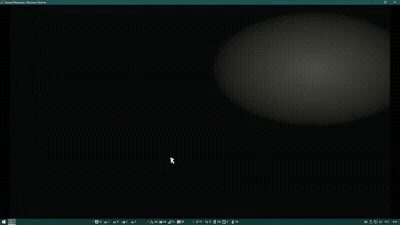
A shader-based transition for Ren'Py that simulates turning on the lights in a room. Works with any background — no light maps, no normal maps, no extra assets required.
— Think of it as a more expressive alternative to Dissolve when your scene goes from dark to lit.
Show full description...
## Features
— **Multiple light sources** — up to 3 points per transition
— **Customizable** — duration, intensity, flash peak timing, darkness level, light color
— **Ready-made presets** — single lamp, triple ceiling lights, quick flick, slow warm-up
— **Zero asset overhead** — pure shader, works on any image
— **Drop-in usage** — works as a standard Ren'Py transition
## Quick start
1. Copy `light_on.rpy` into your `game/` folder
2. Use in your script:
scene dark_room
"You reach for the light switch."
scene bright_room with light_on
That's it.
## Presets
| Name | Description | |-------------------|--------------------------------------| | light_on | Default, single overhead light | | light_on_quick | Fast flick, single side light | | light_on_slow | Slow warm-up, single light | | light_on_triple | Three light sources | | light_on_room | Ceiling + two wall lights |
## Custom setup You can define your own transitions: define my_light = ComposeTransition( LightFlash( duration=1.0, # total transition time intensity=0.5, # flash brightness peak=0.25, # when flash peaks (0-1) darkness=0.6, # initial darkening color=(1.0, 0.9, 0.7), # warm light color centers=[(0.5, 0.2)] # light source positions ), after=Dissolve(0.3) ) ### Parameters | Parameter | Default | Description | |-------------|------------------|------------------------------------------| | duration | 0.8 | Length in seconds | | intensity | 0.6 | How bright the flash gets | | peak | 0.25 | When flash is brightest (0.0–1.0) | | darkness | 0.4 | How dark the image starts | | color | (1.0, 0.98, 0.9) | RGB color of the flash | | centers | [(0.5, 0.3)] | Light source positions (UV coordinates) | ### Center coordinates (0, 0) = top-left, (1, 1) = bottom-right (0.5, 0.0) — top center (ceiling light) (0.0, 0.5) — left wall (1.0, 0.5) — right wall (0.5, 1.0) — floor lamp ## Requirements — Ren'Py 7.4+ (GL2 renderer) — That's it ## License MIT — use in free and commercial projects, credit appreciated but not required.
 GetAssetPack