GetAssetPack

Godot: Motion Blur Shader

Godot: Motion Blur Shader
Price
$1.29
Type
3D Models
Creator
Creative Core Studio
Dimensions
3D
Setting
Space
Engine
Godot

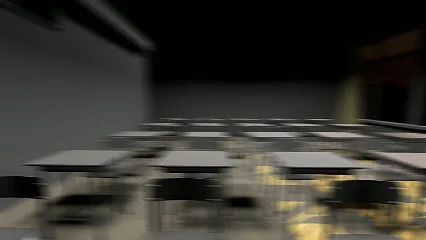
A Godot shader and GDScript for real-time camera motion blur, using camera movement and rotation to create a screen-space effect.

Godot Engine

Available on

Search by image

Upload a reference to find previews with similar colors, contrast, and detail.

Godot: Motion Blur Shader

Godot: Motion Blur Shader1 / 6
Creative Core Studio · itch.io$1.29
3D Models
License not indexed
  • i Check the terms on the original listing.
Show full terms

Godot Engine

A Godot shader and GDScript for real-time camera motion blur, using camera movement and rotation to create a screen-space effect.

View original listing

Description

Godot Motion Blur Shader is a software solution for implementing real-time motion blur for Camera3D nodes. The system analyzes the camera's linear and angular velocities and applies post-processing via a screen shader (canvas_item).

The effect simulates the physical properties of a cinema camera, creating image blurring during rapid movement or view rotation, which enhances the visual smoothness.

Show full description...

1. Solution Architecture

The system consists of two main components:

  • GDScript (Camera3Dscript.gd): Manages camera rotation logic, calculates movement vectors in world space, and passes offset vector data to the shader.
  • Shader (motionblurshader.gdshader): Performs iterative sampling of the screen texture with an offset along the movement vector to create the visual blur effect.

2. Parameter Description (API)

2.1. Camera Control Parameters

  • look_sens (float): Mouse sensitivity. Determines camera rotation speed.
  • cam_smoothing (float): Interpolation coefficient (LERP). Responsible for the smoothness of camera movement toward the target rotation angle.
  • pitch_limit (float): Vertical camera tilt limit (in degrees) relative to the starting position.

2.2. Motion Blur Settings

  • effect_intensity (float): Blur intensity multiplier. Increases or decreases the length of the "trail."
  • pass_count (int): Number of texture samples.
  • Low values (4-12): High performance, potential visible "stepping."
  • High values (24-32): High quality, increased GPU load.
  • blur_dampening (float): Effect inertia. Determines how quickly the blur disappears after movement stops.

3. Shader Algorithm

The shader operates on the principle of symmetrical sample distribution:

  • It receives the blur_direction vector, calculated by the script based on the difference in transformations between frames.
  • In a for loop, the shader takes the current pixel coordinate (SCREEN_UV).
  • It creates a series of additional screen texture samples along the line defined by the blur_direction vector.
  • It offsets the samples so that the center of the blur coincides with the original pixel position (using the progress - 0.5 coefficient).
  • The resulting pixel color is the arithmetic mean of all obtained samples.

4. Integration Instructions

Step 1: File Preparation

  • Create a file named motionblurshader.gdshader in your project and paste the shader code.
  • Create a file named Camera3Dscript.gd and paste the control script.

Step 2: Scene Setup

  • Select your Camera3D node (or create a new one).
  • Attach the Camera3Dscript.gd script to the camera.
  • In the Inspector, within the script field, ensure the shader file path in the code (line 33: load("res://motionblurshader.gdshader")) matches the actual location of the file in your project.

Step 3: Automation (Runtime)

The script automatically performs the following actions on startup (_ready):

  • Captures the mouse cursor (MOUSE_MODE_CAPTURED).
  • Creates a CanvasLayer for rendering over the 3D scene.
  • Creates a ColorRect sized to the full screen.
  • Initializes a ShaderMaterial and assigns it to the ColorRect.

5. Technical Notes and Optimization

  • Performance: The effect heavily depends on screen fill rate and the pass_count parameter. For mobile platforms, it is recommended to limit pass_count to 12-16.
  • Projection: The blur is calculated in Screen Space, making it independent of the scene's geometric complexity.
  • Smoothing: The shader uses filter_linear_mipmap filtering to reduce aliasing artifacts during intense blurring.

Documentation is valid for Godot Engine 4.x.

Tags

3DassetfirstGodotmotion-blurNo AIShadersvisual

Downloads