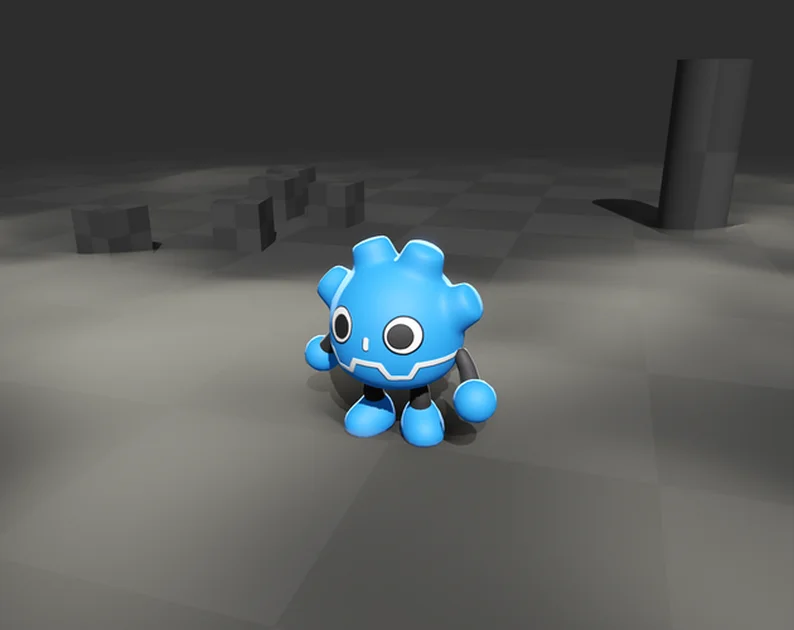
Hey! This is a ground fog i made for Godot 4, you put the GroundFog node as a child of the player and thats it, a circle of fog follows you around, sits on top of whatever terrain is under it and gets pushed around like a fluid when stuff walks into it
Show full description...
I tried to make it easy to use, cheap to run and as good looking as i could, its not real volumetric fog (its a mesh with a shader faking it, shhh) so it runs fine even on weaker stuff, hence the name lol
- FOLLOWS THE PLAYER - The fog only exists in a sphere around you, snapped to the world so it doesnt slide when you move
- WRAPS THE TERRAIN - It raycasts the ground under it, so it goes up ramps, sits on ledges and spills down the sides
- CARVES TRAILS - Anything with a collision shape that goes into it clears the fog, and it slowly flows back after
- SWIRLS - The fog gets dragged by whatever moves through it and leaves little eddies behind
- LANDING PUFF - Jump and land hard and the fog goes poof in a ring
- NO FOG ZONES - Put an Area3D in a group and the fog fades out when you or the camera go inside, good for houses and caves
- SHAPE MASK - Optional black and white texture to shape where the fog shows up
- LOTS OF SETTINGS - Height, density, color, lighting, wind, how fast it refills, how hard bodies push it, all in the inspector
Controls
- WASD - Move
- Shift - Run
- Space - Jump
- E - Wave
- R - Ragdoll (press again to get up)
- Mouse - Move the camera
Walk into the box pile, jump around and look at the trails, the fps counter is on the top left
About the web version
The browser version runs on the Compatibility renderer (WebGL) so the fog looks a bit thinner than on desktop, it doesnt blend as soft where it touches objects, if you want to see it how it was made to look download the project and run it in Godot with Forward+
The project
Made in Godot 4.8 (beta 3), Forward+ and Jolt Physics. The download is the full project with the debug scene, just open it and hit play. To use it in your game copy the fog folder, add a GroundFog node as a child of your player and set the terrain and disturb masks to your layers
This is CC0
Credits
The character is the Godot Plush by gtibo (MIT license, the license file is inside the project)
https://github.com/gtibo/Godot-Plush-Character
More stuff from me
The Godot Toolkit: VFX, Shaders, Water & More - its 40% off and includes 7 packs
MOBA VFX Vol. 01 - a thing to help you create projectile vfx, it might be useful
 GetAssetPack