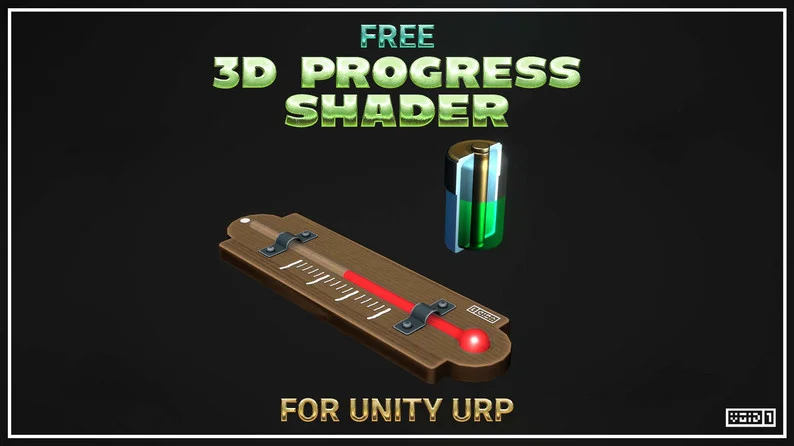
Have a 3D Progress Bar to fill up ?? Do you want filling-up animations in your Players Potion Chalice?? This Free 3D Progress Shader for Unity URP is perfect for these kinds of scenarios. This is a 3D Mesh Fill Shader for filling up your meshes with the color of your choice on every axis.
NOTE - Thermometer and Battery Models included exclusively in the Project files for Patrons.
Show full description...
The Free 3D Progress Shader is highly customizable and you can control all the aspects of your animation like speed, direction, and color with intuitive sliders.
This Free 3D Progress Shader for Unity URP works with Unity URP via the provided UnityPackage file. Instructions for usage are listed below -
Instructions to Use -
1. Make sure your Project is set up with UNITY URP. If not, then Install the Universal RP from the Package Manager and create a Render Pipeline Asset by Right-Clicking on the Project Window and then selecting Rendering -> Universal RP -> Render Pipeline Asset. Once you have created a Render Pipeline Asset, Go to the Project Settings and Assign the Render Pipeline Asset in the Graphics and Quality Tab.
2. Now Import the Free 3D Progress Shader using the Import Packages -> Custom Package Option available in the Asset Menu.
NOTE - If the Shader appears to be Pink then you might be missing something during the Project Setup. Make sure your project is properly compatible with the Universal RP and have the Shadergraph package installed.
For exclusive access to more project files head over to our Patreon page.
For more amazing Free Content visit the VOiD1 Gaming Website.
Support Us on Patreon and help us in making more awesome content for the Community
Your Donations keep us moving forward!! You can donate to us over at Buy Me a Coffee as well!
 GetAssetPack