GetAssetPack

Widgetize3DMesh, Convert Any Mesh into A 2d Widget
Widgetize3DMesh, Convert Any Mesh into A 2d Widget
Price
€18.21
Type
3D Models
Dimensions
3D
Engine
Unreal
Animation
Animated

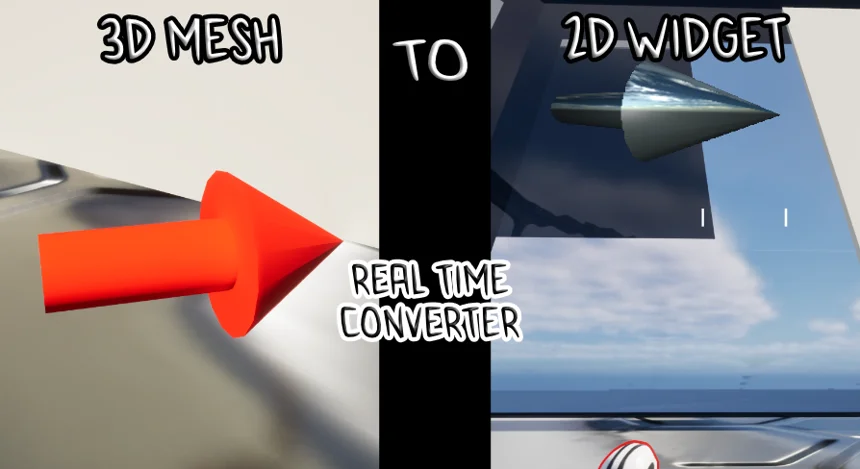
An Unreal Engine C++ and Blueprint plugin that renders 3D meshes as real-time 2D widget images, with support for rotating the rendered mesh.

Taking any mesh and rendering it in real time into a 2d image. This process allows us to render the mesh into a widget. Making this plugin useful for most projects that require dynamic visuals. Projects can range from navigation systems to embedded animation sequences. The plugin is created in C++ for performance. But also utilize blueprints for convenience and user simplicity.Follow the steps to use the out of the box solution:1) Open up a "User Widget"2) Create "Widget_FlattenMesh" child widget3) Inside the Detail Panel, modify "Object to Load", "Distance Capture", and "Target Mesh Materials" - Object to Load: The target mesh to render - Distance Capture: Where the camera will be placed when rendering, farther away will generate a smaller mesh. - Target Mesh Materials: The Material that will be rendered onto the meshDo the following if the desire functionality is to rotate the mesh: 1) Using that same "Widget_FlattenMesh" child, check the "Is Variable" inside the Details panel.2) Open up the user widget "Graph" section3) Inside the desire graph routine, Get the FlattenMesh Variable.4) Call "Update Target Rotation" from that Variable, with the desire rotation.

Available on

Search by image

Upload a reference to find previews with similar colors, contrast, and detail.

Widgetize3DMesh, Convert Any Mesh into A 2d Widget

Widgetize3DMesh, Convert Any Mesh into A 2d Widget
Fab (Epic)€18.21
3D Models
License not indexed
  • i Check the terms on the original listing.
Show full terms

Taking any mesh and rendering it in real time into a 2d image. This process allows us to render the mesh into a widget. Making this plugin useful for most projects that require dynamic visuals. Projects can range from navigation systems to embedded animation sequences. The plugin is created in C++ for performance. But also utilize blueprints for convenience and user simplicity.Follow the steps to use the out of the box solution:1) Open up a "User Widget"2) Create "Widget_FlattenMesh" child widget3) Inside the Detail Panel, modify "Object to Load", "Distance Capture", and "Target Mesh Materials" - Object to Load: The target mesh to render - Distance Capture: Where the camera will be placed when rendering, farther away will generate a smaller mesh. - Target Mesh Materials: The Material that will be rendered onto the meshDo the following if the desire functionality is to rotate the mesh: 1) Using that same "Widget_FlattenMesh" child, check the "Is Variable" inside the Details panel.2) Open up the user widget "Graph" section3) Inside the desire graph routine, Get the FlattenMesh Variable.4) Call "Update Target Rotation" from that Variable, with the desire rotation.

An Unreal Engine C++ and Blueprint plugin that renders 3D meshes as real-time 2D widget images, with support for rotating the rendered mesh.

View original listing