GetAssetPack

Circle Damage Indicator Component
Circle Damage Indicator Component
Price
€3.63
Animation
Animated

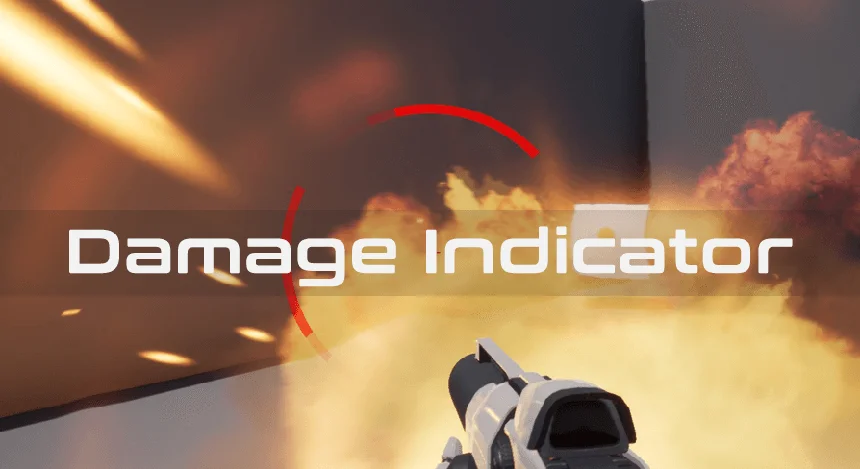
A HUD component that indicates the direction and proximity of damage, with dynamic or static indicators and customizable color, textures, scale, and position.

My other assets:Damage TextDrivable Submarine (With buoyancy)Battle Royale - Air DropBattle Royale - ZoneKill FeedDrivable BoatPreview: https://www.youtube.com/watch?v=vSDRFvxgTUUThis component allows you to add a HUD element that shows where damage was dealt from, and you can set it up in a minute!There are 2 ways of indicating damage:1. Dynamic - Indicator shows the direction of damage and always facing the damage direction even if you are rotating you game character.2. Static - Indicator spawns when damage is dealt and stays static on the screen.Also there is function to determine damage dealt near your character, it's customizable in the component and you can set it up to your needs.You have access to customizable parameters, such as:1. Type of indicator2. Speed of indicator's vanishing3. Color4. Custom textures5. Distance for "near damage"6. Indicator scale7. Position relatively to screen's center8. Custom sprite size

Available on

Search by image

Upload a reference to find previews with similar colors, contrast, and detail.

Circle Damage Indicator Component

Circle Damage Indicator Component
Fab (Epic)€3.63
License not indexed
  • i Check the terms on the original listing.
Show full terms

My other assets:Damage TextDrivable Submarine (With buoyancy)Battle Royale - Air DropBattle Royale - ZoneKill FeedDrivable BoatPreview: https://www.youtube.com/watch?v=vSDRFvxgTUUThis component allows you to add a HUD element that shows where damage was dealt from, and you can set it up in a minute!There are 2 ways of indicating damage:1. Dynamic - Indicator shows the direction of damage and always facing the damage direction even if you are rotating you game character.2. Static - Indicator spawns when damage is dealt and stays static on the screen.Also there is function to determine damage dealt near your character, it's customizable in the component and you can set it up to your needs.You have access to customizable parameters, such as:1. Type of indicator2. Speed of indicator's vanishing3. Color4. Custom textures5. Distance for "near damage"6. Indicator scale7. Position relatively to screen's center8. Custom sprite size

A HUD component that indicates the direction and proximity of damage, with dynamic or static indicators and customizable color, textures, scale, and position.

View original listing