GetAssetPack

3d Printer SciFi by Raio

3d Printer SciFi by Raio
Price
€86.61
Type
3D Models
Dimensions
3D
Setting
Sci-fi
Animation
Animated

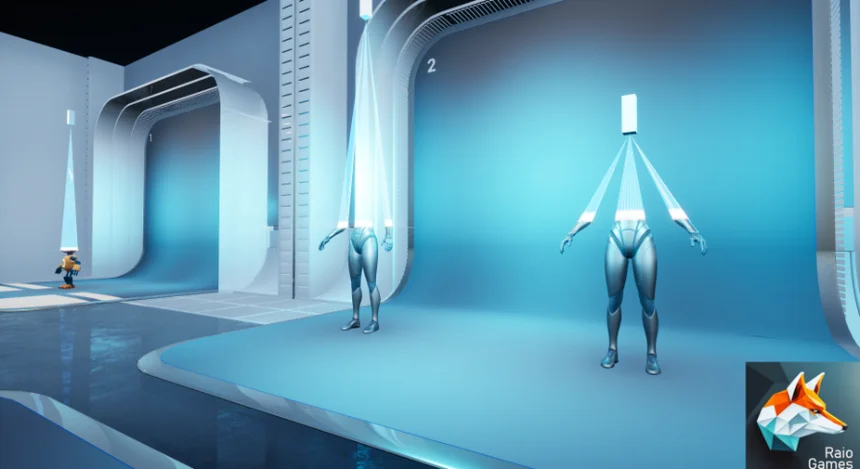
Any skeletal or static mesh can be printed with this Scifi 3d Printer.Instructions:(see the video in the link below for a better explanation. You will find two video, the first with a simple mesh, and the second with a complex one with many materials)Create an actor, add your skeletal or static mesh, assign a pose to you skeletal mesh if you wantEdit the mesh materials or make a copyAdd the material function as shown in the videoCreate material instances of the used materials, enable 3d printable parameter.If the material is opaque, override it to masked in the instanceIn the actor, add the BP_3dPrintable component, call Init Printable on the Event Begin with the mesh you want to printSelect the BP_3dPrintable component in the actor, and assign to the Materials variable the materials created befor, in the same order they appear in the original mesh.Done. To test it, drag into the scene the BP_3dPrinter and select your actor in the PrintTest variableFor support:RaioGames.comDiscord Channel

Available on

Search by image

Upload a reference to find previews with similar colors, contrast, and detail.

3d Printer SciFi by Raio

3d Printer SciFi by Raio
Fab (Epic)€86.61
3D Models
License not indexed
  • i Check the terms on the original listing.
Show full terms

Any skeletal or static mesh can be printed with this Scifi 3d Printer.Instructions:(see the video in the link below for a better explanation. You will find two video, the first with a simple mesh, and the second with a complex one with many materials)Create an actor, add your skeletal or static mesh, assign a pose to you skeletal mesh if you wantEdit the mesh materials or make a copyAdd the material function as shown in the videoCreate material instances of the used materials, enable 3d printable parameter.If the material is opaque, override it to masked in the instanceIn the actor, add the BP_3dPrintable component, call Init Printable on the Event Begin with the mesh you want to printSelect the BP_3dPrintable component in the actor, and assign to the Materials variable the materials created befor, in the same order they appear in the original mesh.Done. To test it, drag into the scene the BP_3dPrinter and select your actor in the PrintTest variableFor support:RaioGames.comDiscord Channel

View original listing