GetAssetPack

Bridgify Procedural Bridge Generator Blender Geometry Node
Bridgify Procedural Bridge Generator Blender Geometry Node
Price
€3.64
Type
3D Models
Dimensions
3D
Engine
Blender

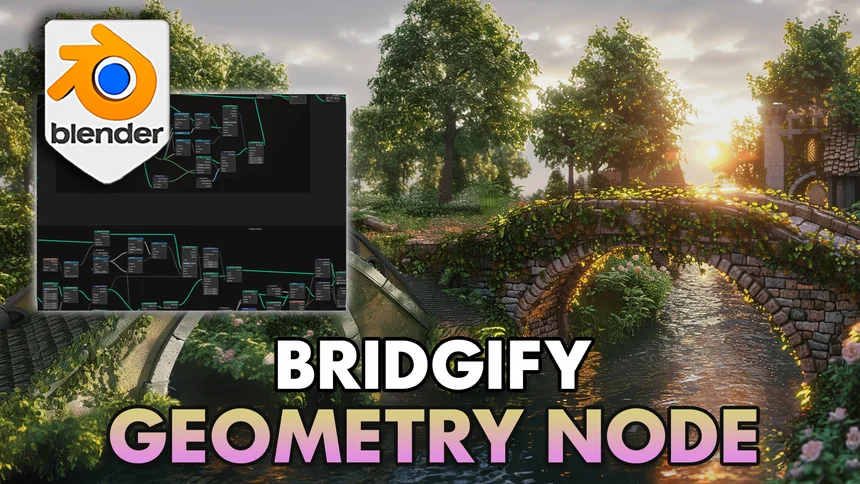
A Blender geometry node setup for generating customizable bridges from curves, with adjustable dimensions, railings, brick details, and holes.

🌟 Introducing the '3D Tudor Bridgify - Blender Bridge Geometry Node': Revolutionize Your Bridge Building! 🌟‘3D Tudor Bridgify - Blender Bridge Geometry Node’ is your ultimate solution for effortlessly creating stunning, detailed bridges in Blender from simple curves. This powerful geometry node setup transforms basic shapes into fully customizable bridge models, saving you hours of work and enhancing your 3D modeling projects.🎥 YouTube PreviewOur geometry node setup is a must-have for every 3D modeling artist! To see why, check out our visual geometry node map.Key Features of ‘3D Tudor Bridgify - Blender Bridge Geometry Node’:🏗️ Bridge Structure:Material Customization: Easily change the material within the geometry node for unique looks.Adjustable Dimensions: Modify the height, width, and resolution of your bridge.Rounded Top: Create a rounded top and control the rounding factor for different styles.🚧 Railings:Toggle On/Off: Enable or disable railings with a simple switch.Height and Width Control: Adjust the height and width of the railings to fit your design needs.🧱 Railing Bricks:Detailed Brick Controls: Customize the length, width, and thickness of the bricks.Randomization Options: Add variation with random options for brick dimensions.Gap Controls: Adjust the gap between bricks and introduce gap randomness for a more natural look.🕳️ Bridge Holes:Customizable Holes: Add holes to the bridge structure or set up your own boolean operations.Custom Boolean: Select your boolean type and place it into position.Hole Count: Adjust the number of holes from one to an infinite number.Hole Height: Modify the height of the holes to create simple holes or beautiful arches.Center and End Scaling: Control the center factor and scale, as well as the end scale, to vary hole sizes, creating large holes in the middle and smaller ones on the sides, or vice versa.🧱 Hole Bricks:Customizable Hole Bricks: Similar to the railing bricks, adjust the length, width, thickness, and gaps of the…

Available on

Search by image

Upload a reference to find previews with similar colors, contrast, and detail.

Bridgify Procedural Bridge Generator Blender Geometry Node

Bridgify Procedural Bridge Generator Blender Geometry Node
Fab (Epic)€3.64
3D Models
License not indexed
  • i Check the terms on the original listing.
Show full terms

🌟 Introducing the '3D Tudor Bridgify - Blender Bridge Geometry Node': Revolutionize Your Bridge Building! 🌟‘3D Tudor Bridgify - Blender Bridge Geometry Node’ is your ultimate solution for effortlessly creating stunning, detailed bridges in Blender from simple curves. This powerful geometry node setup transforms basic shapes into fully customizable bridge models, saving you hours of work and enhancing your 3D modeling projects.🎥 YouTube PreviewOur geometry node setup is a must-have for every 3D modeling artist! To see why, check out our visual geometry node map.Key Features of ‘3D Tudor Bridgify - Blender Bridge Geometry Node’:🏗️ Bridge Structure:Material Customization: Easily change the material within the geometry node for unique looks.Adjustable Dimensions: Modify the height, width, and resolution of your bridge.Rounded Top: Create a rounded top and control the rounding factor for different styles.🚧 Railings:Toggle On/Off: Enable or disable railings with a simple switch.Height and Width Control: Adjust the height and width of the railings to fit your design needs.🧱 Railing Bricks:Detailed Brick Controls: Customize the length, width, and thickness of the bricks.Randomization Options: Add variation with random options for brick dimensions.Gap Controls: Adjust the gap between bricks and introduce gap randomness for a more natural look.🕳️ Bridge Holes:Customizable Holes: Add holes to the bridge structure or set up your own boolean operations.Custom Boolean: Select your boolean type and place it into position.Hole Count: Adjust the number of holes from one to an infinite number.Hole Height: Modify the height of the holes to create simple holes or beautiful arches.Center and End Scaling: Control the center factor and scale, as well as the end scale, to vary hole sizes, creating large holes in the middle and smaller ones on the sides, or vice versa.🧱 Hole Bricks:Customizable Hole Bricks: Similar to the railing bricks, adjust the length, width, thickness, and gaps of the bricks around the holes and arches.Random Placement: Utilize random placement options for a more natural and varied appearance.🧱 Stone Brick Settings:Material Customization: Change the material of the actual bridge bricks.Subdivision and Bevels: Adjust the subdivisions and bevels for added detail.Noise Control: Modify the noise scale and noise power to achieve the desired level of realism or simplicity, perfect for high-quality renders or optimized for mobile games.🌟 Why Choose the '3D Tudor Bri

A Blender geometry node setup for generating customizable bridges from curves, with adjustable dimensions, railings, brick details, and holes.

View original listing