GetAssetPack

Level Design Tools

Level Design Tools
Price
€31.90

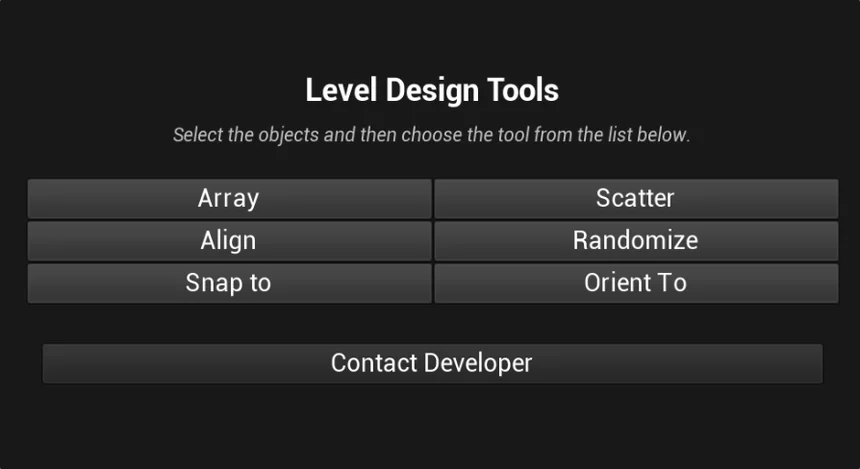
Bug reports or feature suggestions: erosa3d@gmail.comA combination of "commonly used" tools during modeling and level design process, which are meant to facilitate and speed up the process of populating scenes, etc. This set of tools include: Array defined by Offsets (position, rotation and scale) or by Spline;Scatter tool, which enables you to randomly place StaticMeshes on the surface of a defined mesh;Align tool to align selected actors (using the bounds or pivot position);Randomization tool to randomly move, rotate or scale objects, defined by ranges and it can either be absolute (world position) or relative (adding to the original transformation);Snap to will align the selected objects to the defined axis (you can quickly place objects on the ground, for instance);Orienting tool will make selected actors face a defined target.IMPORTANT: Remember to Enable the "Editor Utility Scripting" plugin, and to run it, right-click on "OutlinerOrganizer" and choose "Run Editor Utility Widget".

Available on

Search by image

Upload a reference to find previews with similar colors, contrast, and detail.

Level Design Tools

Level Design Tools
Fab (Epic)€31.90
License not indexed
  • i Check the terms on the original listing.
Show full terms

Bug reports or feature suggestions: erosa3d@gmail.comA combination of "commonly used" tools during modeling and level design process, which are meant to facilitate and speed up the process of populating scenes, etc. This set of tools include: Array defined by Offsets (position, rotation and scale) or by Spline;Scatter tool, which enables you to randomly place StaticMeshes on the surface of a defined mesh;Align tool to align selected actors (using the bounds or pivot position);Randomization tool to randomly move, rotate or scale objects, defined by ranges and it can either be absolute (world position) or relative (adding to the original transformation);Snap to will align the selected objects to the defined axis (you can quickly place objects on the ground, for instance);Orienting tool will make selected actors face a defined target.IMPORTANT: Remember to Enable the "Editor Utility Scripting" plugin, and to run it, right-click on "OutlinerOrganizer" and choose "Run Editor Utility Widget".

View original listing