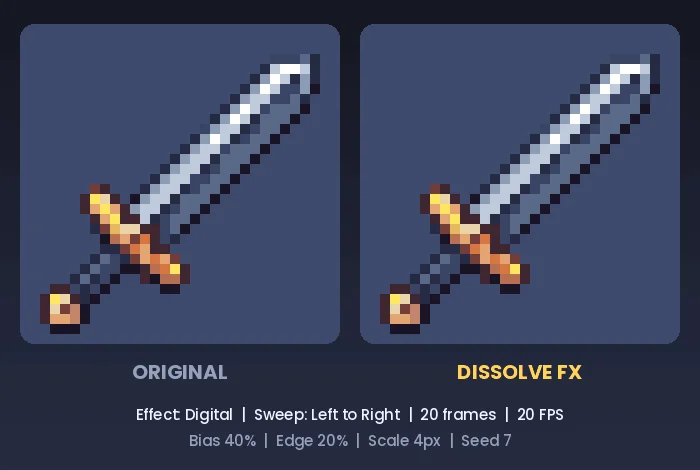
Dissolve FX is an Aseprite script that dissolves, burns, washes away or shatters any sprite and bakes the result into frames. Five ready-made effects, a full set of controls and a live preview. Death animations, teleports, item pickups, magic, glitches.
Show full description...
Flip on Appear and the same effect materializes the sprite instead. Every animation ends clean: the sprite and all particles are gone on the last frame.
📌 You are buying the Dissolve&Materialization script only. Want the swords, gems, and potions shown in the demos? Check out the asset packs below:
5 effects, one click each
- Crumble: sprite-colored dust and chips fall away
- Digital: glitchy cyan blocks wipe the sprite out
- Fire: burns from the bottom with rising embers
- Water: washes away with droplets and trails
- Stone Shatter: turns to stone, cracks, then breaks into falling shards
Picking an effect loads a tuned preset for every slider and color. Tweak anything after that.
Dissolve and appear
The Appear checkbox plays the same effect in reverse. Left: dissolve. Right: reverse.
Features
- Live preview in its own window with auto-fit, mouse wheel zoom, drag to pan and play/pause
- Vanish or appear: one checkbox reverses the effect
- Clean finish: the timeline is built so the last frame is empty, with no leftover particles
- Sweep control: start from the top, bottom, left, right or randomly, with a bias slider from ragged to clean wipe
- Edge styling: width, start and end colors, mix and jitter
- Particles: amount, speed, gravity, spread, life, trail, direction and optional sprite colors
- Seed: 1000 patterns, with a randomize button
- 8 to 48 frames at 1 to 30 FPS
- One-click bake: creates a "Dissolve" layer, adds the frames you need and sets frame durations. Your original layers are kept, only hidden
- Any sprite size. Transparent pixels are preserved
- Reload source button to keep editing your art without closing the windows
How it works
- Hide the layers you do not want to affect and leave some empty canvas for particles
- Run File > Scripts > Dissolve
- Pick an effect and tune it while the preview loops
- Click Bake to sprite
What is included
- Dissolve.lua
- README with every control explained and fluid frame and FPS settings for each effect
Requirements
- Aseprite 1.3 or newer (developed on v1.3.18.6)
- RGB color mode
Install
File > Scripts > Open Scripts Folder, drop in Dissolve.lua, then File > Scripts > Rescan Scripts Folder.
License
You can:
- ✔ Use this script to generate animations for personal and commercial projects.
- ✔ Edit and modify the script code for your own personal or studio workflow.
- ✔ Credit is not required, but appreciated.
You can't:
- ❌ Resell, share, or redistribute the script (original or modified) on its own or as part of another tool pack.
Questions or feature requests?
Just leave a comment on this page. Thank you for supporting Syndustry!
_____________________________________________________
©2026 SYNDUSTRY. All rights reserved.
 GetAssetPack