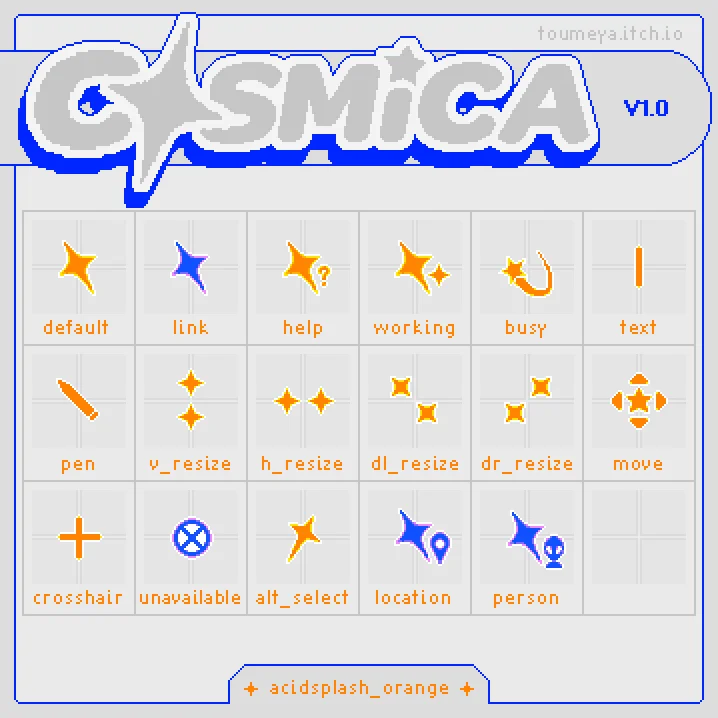
Cosmica is a Y2K inspired cursor pack with four juicy colour variations. I wanted make something fun and cute but still clean and super usable, enjoy!
Show full description...
Cosmica V1.0 comes with an installer that will automatically add both cursor schemes to your computer; after extracting the ZIP, right click on the installer and choose install. Cosmica cursor folders will be added to Windows\Cursors.
To switch cursor schemes, go to Settings > Mouse Settings > Additional Mouse Options and navigate to the Pointers tab.
If the installer isn't working for you, you can manually set your cursor appearance. To manually set cursor appearance: On the Pointers tab, click Browse to customise each cursor separately, then Save As... to name as a new scheme.
For Mac users: I am under the impression customising cursors is more complicated for you. This download includes all the .cur and .ani files for the cursor sets, which can be used in whatever cursor customisation work-around you use.
✶ Free for non-commercial use
✶ For non-commercial web use, please credit and link to > https://toumeya.itch.io/
✶ Contact me for commercial use terms
 GetAssetPack