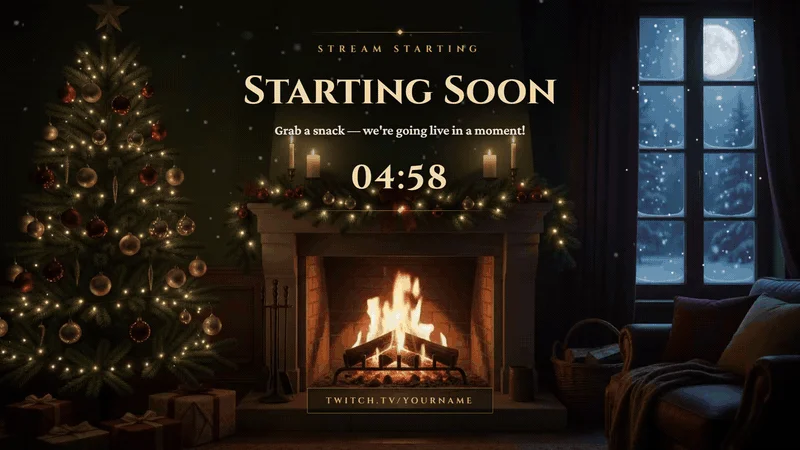
Christmas stinger transitions for Twitch — 4 animated scene transitions that hide your scene change behind snow, a snowball or a wrapped gift. The GIFs above show each one switching from a Starting Soon screen to a Just Chatting scene.
Show full description...
• Snowstorm — a wall of wind-blown snow sweeps across the screen, white-out, then blows away (2.0 s · transition point 1000 ms)
• Snowball Splat — a snowball flies at the camera, splat! — then the snow slides down and off (2.0 s · 1000 ms)
• Gift Wrap — red wrapping paper rolls over the screen, a gold bow ties it up, the gift opens (2.0 s · 1000 ms)
• Fireside Doors — two dark doors with gold edges close, a gold Christmas star glows, they open again (1.6 s · 800 ms)
Every stinger comes twice: with sound (a soft whoosh / chime made by us) and without sound. Transparent WebM video, 1920 × 1080. The transition point is written in every file name.
HOW IT WORKS
OBS Studio: Scene Transitions → + → Stinger → pick a .webm → Transition Point Type: Time → type the number from the file name (1000 or 800) → OK. Streamlabs Desktop: the gear next to Scenes → Add Transition → Stinger → same. START-HERE.pdf walks you through it.
They match our Fireside Christmas theme — chat widget, goal bars, webcam frame, stream screens, panels and 16 animated decorations: https://chatbloomstudio.itch.io/christmas-twitch-stream-package · https://chatbloomstudio.itch.io/christmas-twitch-stream-decorations
Free webcam frame to try our style: https://chatbloomstudio.itch.io/free-twitch-webcam-frame
HELP & VIDEO GUIDES
• Step-by-step setup videos on our YouTube channel: youtube.com/@chatbloomstudio — webcam frames, alerts, chat, goal bars, screens, panels, full overlays, stinger transitions
• Need a video for something else? Ask in the comments — we'll make one for you
• Stuck at any step? Leave a comment below — we'll help you until it works on your stream
GOOD TO KNOW
• "Fireside Doors" is the same stinger that comes with our Fireside Christmas Stream Set and Full Stream Package — here it also has a version with sound.
• Works offline · no login · no code.
• For use on your own channel(s), also monetized. Please don't resell or share the files.
• The animations and sounds are made by us in code; the gold star in Fireside Doors is made with AI image tools. Designed and built by us with the help of AI tools.
 GetAssetPack