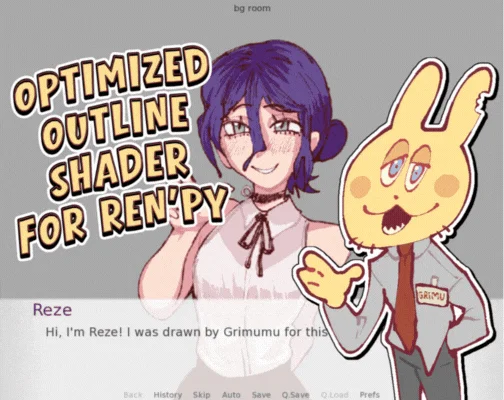
Version 3.1 — Outlines, shadows, double borders and procedural patterns in one Ren'Py file.
Give a character a readable silhouette, separate it from a busy background, or create a graphic sticker look. Start with a named preset and one show command. Adjust the effect only when your art needs it.
Show full description...
- Ready to use: ten direct shortcuts, plus eight styles available through three rendering profiles.
- Controlled rendering cost: adaptive outline sampling, combined effects in a single pass, and optional caching for suitable fixed effects.
The download is the shader source file. Character artwork and the presentation editor shown in demonstrations are not part of the shader file.
Select a section below to expand it. You can leave several sections open.
1. Installation & Quick Start
- Place 11_shader_outline_v3.rpy directly inside your Ren'Py project's game folder. Keep only one copy installed.
- Restart your project so Ren'Py loads the file.
- Apply a named preset to an image already defined in your game:
label start: show eileen happy at outline_mobile_white "The white outline is active."
Replace eileen happy with your own image name. A transparent sprite or complete LayeredImage gives the effect a character silhouette to follow. Example artwork is not included.
Change the look by changing only the preset name:
show eileen happy at outline_mobile_sticker show eileen happy at outline_mobile_comic show eileen happy at outline_mobile_dots
The mobile profile renders its intermediate at the game's virtual resolution. Physical Android devices still need testing in your own game.
2. Effects & Usage Examples
Outline and shadow
Use white or black to separate a sprite from the scene. Use a shadow alone, or combine it with an outline for a sticker-like edge.
show eileen happy at outline_mobile_white show eileen happy at outline_mobile_black show eileen happy at outline_mobile_shadow show eileen happy at outline_mobile_sticker
outline_mobile_shadow is translucent and offset. It is not a blurred or glowing shadow.
Double borders and patterns
The comic preset draws a white inner border and a black outer border. Dots and lines are generated by the shader; they need no pattern image file.
show eileen happy at outline_mobile_comic show eileen happy at outline_mobile_dots show eileen happy at outline_mobile_lines show eileen happy at outline_mobile_lines_animated
The last option moves its line pattern. Static dots and lines do not schedule pattern redraws. An animated sprite underneath can still require redraws.
Remove or position an effect
show eileen happy at outline_off show eileen happy at outline_mobile_white, center
Use outline_off when replacing an existing effect on the same image tag. Put positioning transforms after the effect when you need both.
Inside a screen
screen outlined_portrait(): add "eileen happy" at outline_mobile_white
3. Presets & Parameters
Ten direct shortcuts
Copy each name exactly; preset identifiers stay in English in every project language.
- outline_mobile_white / outline_mobile_black — 4 px silhouette borders.
- outline_mobile_shadow — a short translucent shadow.
- outline_mobile_sticker — white border plus short shadow.
- outline_mobile_comic — white inner and black outer border.
- outline_mobile_dots / outline_mobile_lines — static blue pattern over a white border.
- outline_mobile_lines_animated — slowly moving lines, with pattern updates set to 20 fps.
- outline_cached_white / outline_cached_sticker — optional cached versions for effects whose source changes infrequently.
Choose a style and rendering profile
outline_preset(style, profile) combines any of eight styles with any of three profiles. The lowercase, case-sensitive style names are "white", "black", "shadow", "sticker", "comic", "dots", "lines" and "lines_animated".
- "mobile" — virtual-resolution intermediate, without the optional output cache; the default profile.
- "standard" — drawable/window-resolution intermediate, without the optional output cache. Sharper on some displays, with potentially higher texture cost.
- "cached" — virtual-resolution intermediate with an additional reusable texture for fixed effects. Moving patterns bypass that extra cache.
show eileen happy at outline_preset("comic", "mobile") show eileen happy at outline_preset("dots", "standard") show eileen happy at outline_preset("sticker", "cached")
The named presets cover common cases. For custom artwork, use the public transforms below. Other preset names such as outline_white_thin, shadow_soft and double_outline_comic are also present in the file.
Custom effects
# Color, border width and alpha threshold. show eileen happy at outline( color="#75DCE0", width=4.0, threshold=0.1) # Offset and translucency. show eileen happy at shadow( color="#00000099", xoffset=8, yoffset=8) # Two effects in one shader pass. show eileen happy at outline_and_shadow( width=4, outline_color="#FFFFFF", shadow_color="#00000099", xoffset=8, yoffset=8) # Two concentric borders in one shader pass. show eileen happy at double_outline( inner_width=2, outer_width=5, inner_color="#FFFFFF", outer_color="#000000")
For outline(), pattern=0 means no pattern, 1 means dots and 2 means lines. pattern_color and pattern_scale control the look; pattern_speed moves it. fps limits scheduled pattern updates, not the game's frame rate. outline_and_shadow() also exposes separate shadow_pattern, shadow_pattern_color, shadow_pattern_scale and shadow_pattern_speed controls.
show eileen happy at outline( width=6, color="#FFFFFF", pattern=2, pattern_color="#45A7E6CC", pattern_scale=18, pattern_speed=0.1, fps=20)
drawable_resolution=False uses the game's virtual resolution and can soften fine detail when enlarged. The custom transforms default to True; the mobile presets choose the lower-cost option for you.
4. Inside Version 3.1
- Adaptive outline sampling: the shader selects 4, 8, 16 or 24 neighboring alpha samples according to border width, instead of using the largest sample count for every outline. The source image adds one sample.
- Combined passes: outline plus shadow and double-outline each use a single shader pass for their combined result. A standalone shadow uses one offset sample.
- Procedural dots and lines: pattern shapes come from shader math, so there is no extra pattern texture to install. Static patterns do not request their own timed redraw; animated patterns update at a chosen rate.
- Effects that are off skip work: a zero-width or fully transparent outline does not keep its outline shader active. Padding is calculated from the visible outline and shadow effect colors.
- Bounded inputs: numeric controls reject non-finite values and clamp widths, offsets and other ranges before growing the render area.
- Optional cache: fixed effects can reuse a rendered texture until the child changes. This adds texture memory and a render step when the child changes; it is a deliberate option, not a default for every sprite. Moving patterns bypass the extra cache.
Practical limit: wide outlines still require more texture reads and padding. The sampling is approximate, so very thick borders or fine silhouette details can look rough. A width around 2–4 px is a sensible starting point; the code recommends staying at or below 18 px for custom widths.
Scene composition, sprite size, resolution and device GPU still determine real performance. No fixed FPS or battery-life result is promised.
5. Frequently Asked Questions
Do I need to edit shader code or install an editor?
No. Install the one .rpy file and use a named preset with at. The presentation editor is a separate demonstration tool and is not required for the shader.
Can I use it with a layered or animated character?
Apply the transform to the complete character displayable. Source changes can update the result. An animated source changes more often, so the optional cache may offer less reuse than it does for a mostly static portrait.
Does “soft shadow” include blur?
No. The soft presets use partial transparency. The edge is not Gaussian-blurred.
Which profile should I start with?
Start with mobile for a moderate texture budget. Compare standard only if the result needs more detail. Try cached for a fixed effect on art that changes infrequently, then compare memory and frame timing in your own scene.
Can I use it on Android or in an HTML build?
The lower-resolution profile is intended to help on constrained hardware, but physical Android and HTML5 builds have not been validated for this release. Test your target Ren'Py build and device before promising compatibility to players. No minimum supported Ren'Py version is established.
What has actually been tested?
Development checks used Ren'Py 8.5.3.26051504 on Windows 10, including lint, rendering/preset checks and isolated GLSL compilation. Those checks do not certify every GPU, browser, mobile device or thermal condition.
Why does a copied example fail?
Check that the file is inside game, the image name exists, the command is indented inside a label or screen, and preset names and quotes match exactly. Keep only one installed version of the shader.
How do I remove a preset?
Show the same image tag with at outline_off. A later show without an at clause can retain the previous transform.
6. License, Credits & Support
You may use and modify this shader in commercial and non-commercial games. You may distribute the original or modified .rpy as part of a game that uses it. You may not redistribute, share or sell the original or modified shader as a standalone asset, whether free or paid, including in asset packs.
Credit GRIMUMU in your game's credits. Suggested line: Outline Shader by GRIMUMU.
Questions or bug reports? Leave a comment on the Outline product page once it is published. Include your Ren'Py version, target platform, image dimensions, command used and any error text. Follow GRIMUMU on itch.io.
OTHER SHADERS:
 GetAssetPack