If you like this plugin, you can buy me a Ko-Fi! You can also find all the pay plugins for a cheaper subscription!
WARNING: THIS PLUGIN NEEDS WINTERDREAM CORE v1.3 or higher, download it for free and add it to your project ABOVE MultiLanguage
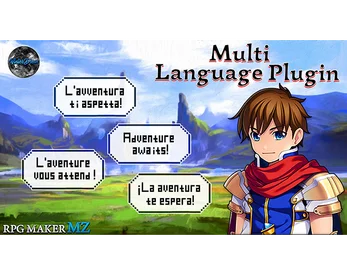
Add multi-language support to your RPG Maker MZ game.
Translate your game and reach players all over the world — with a simple and structured system.
Show full description...
✔ Translate dialogues, menus and system text
✔ Translate database content (actors, skills, items, enemies…)
✔ Translate normally hardcoded texts (combat messages, options, etc.)
✔ Support multiple languages with organized JSON files
✔ Let players choose their language in-game
✔ Automatically detect the player’s language (via WD_Core)
🔹 How it works
- Create your language packs (JSON)
- The plugin loads the correct language automatically
- The player can change language anytime (optional menu setting)
Clean, structured and easy to maintain.
🔹 Why MultiLanguage?
Localization is one of the biggest upgrades you can give your game.
With this plugin, you can:
- 🌍 Reach a global audience
- 📈 Increase downloads and visibility
- 🎮 Improve player experience
And you can do it without complex setups.
🔹 What makes it different?
✔ Translates hardcoded texts usually not accessible
✔ Clean and minimal JSON structure
✔ Automatic language detection
✔ Built to integrate with WD_Core
Designed to be simple, but powerful.
🔹 Supported translations
- Dialogue and scrolling text
- Name boxes
- Actors, classes, skills, items, enemies
- System, terms and types
- Combat messages (like “Miss!”)
- Options text (ON/OFF)
- Event commands that change actor data
🔹 Important Notes
⚠️ This plugin modifies core text-related functions
→ It may not be compatible with plugins that override the same systems
------------------------
Works Great With
• QuestLog → Translate quest descriptions and objectives
• Achievements→ Support multilingual achievement text
• Conditional Choices → Localize dialogue systems
More Plugins by WinterDream
• MultiCrafting → Advanced and customizable crafting system
• Items Choice→ Let players select what item to use with events
• Prequel Saves Import → Import old games saves to know the world state
Explore all WinterDream plugins:
https://winterdreamgamescreator.itch.io/
Terms of use
Please refer to the Terms of Use. By using this plugin you accept WinterDream terms
Version, bugs and further development
VERSION 1.0:
VERSION 1.1:
- Removed from this plugin the control over the language (Both from plugin commands and options menu). The language control is now moved over to WD_Core to coordinate all WinterDream plugins translations from a single source.
VERSION 1.2:
- Solved a compatibility bug with WinterDream Stats & Skills plugin when using custom classes
- The plugin will now scan the Troops.json to add the Battle Event lines into the TextString.json
- Fixed a regex bug when the plugin scans for the Transation Code
VERSION 1.3:
- Added compatibility with web releases
- Fixed the bootstrap sequence between Core and Translations
- Restored actor translations when loading saves and reset them for new games
- Added original-text fallback for incomplete database translations
- Fixed duplicate text entries when updating a newly added language
Future release will have the following changes:
- Add more "Update JSON" commands to update without overwrite the database JSONs
- Make it less destructive by finding a way to keep the OG functions intact
Instructions:
STEP 0 - Installation: Really important!!! The plugin will crash without it! Unzip the "Unzip in data folder.zip" and place it in data!
You should have (your project)/data/WD_Translation/ with 10 json inside. Of course install the WD_Translation.js as usual in the plugin folder
STEP 1 - Setup the Default Language: The default language is your vanilla project, it uses all the Text Data that you set up in the RPG Maker editor as it is, without any changes.
The only extra option I added is the "Combat Miss", normally RPG Maker would use an hard coded string for it (for example "Miss" in english) that's not editable.
Now you can set it, just try to stay in a small range of letters to avoid text compression.
STEP 2 - Create the language packages: The second step is opening the "Other Language Translations" field in the Plugin Parameters and start translating. The first field is the target language and then you have all the various system terms, parameters and so on!
STEP 3 - Database JSON creation: Dynamic database like Items, Monsters or Maps will need to be handled via JSON. Doing this only before wrapping up your project is warmly recommended.
First of all you need to setup the WD_Translation folder in your project data folder, the download on Itch or Ko-Fi already provide a premade folder with blank JSONs. Then, inside the game, create a temporary event and use the command "Write a new translation JSON" once for every JSON you need to create (usually you need all of them unless your project skips certain mechanics, only "Map Names" isn't always useful, if you are not displaying the map informations just skip it). Now you have JSON files in the WD_Translation folder with all the languages you created so far (that's why it's IMPORTANT to 100% complete STEP 2 before STEP 3) and the relevant translation informations (for example items have the name and the description, all the rest of the data is skipped as it has nothing to do with multilanguage).
Use a program like Notepad++ or VScode to open them and manually translate the entries.
When the user changes the language the plugin will load those JSON (so leave every file there even if it's empty!), search for the correct language and edit the $data... file of RPG
Maker to the new language. If there is no matching language, the default RPG Maker file will be left in place (or reset if changed before)
STEP 4 - Text String JSON and translation: Creating a text translation can be long, but I tried to keep it as comfortable and easy as possible. First, tag EVERY text you want to translate with ||WDT...|| add an UNIQUE alphanumeric code in place of ...(example: ||WDTReid000||)
You can do it for name box, standard dialogue, choices, scrolling text (tag only the first sentence of the scrolling text), change actor name, change actor nickname and change actor profile. (NOTE: For the change Actor name/nick/profile, the plugin will Remember the changes from this point onward). Now use the "Create Text Translation JSON" command and the plugin will copy the codes in TextString.json, tagging what kind of RMMZ command uses it and ordering it by map, event and event page! Use a program like Notepad++ or VScode to open it and translate
Follow WinterDream
Follow the page to stay updated on new RPG Maker plugins and systems.
Need help or want to share your project?
Join the WinterDream Discord:
 GetAssetPack