Created by LazySakana.
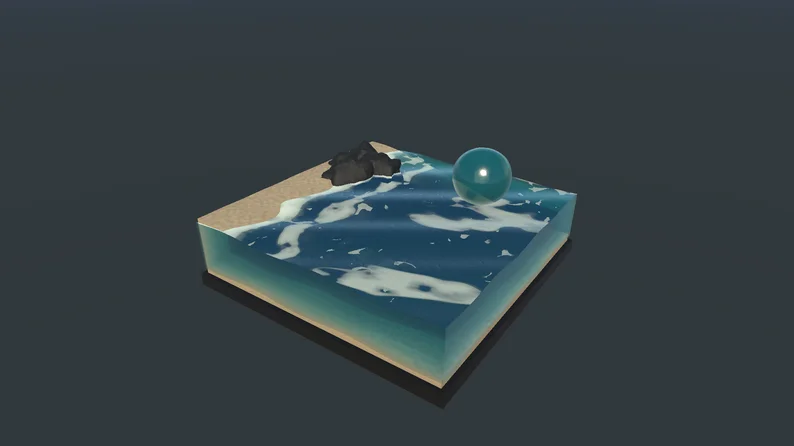
A free, editable water material system for Unity URP, covering plane surfaces and closed meshes in four visual styles: Realistic, Lightly Stylized, Strongly Stylized, and Graphic.
Start with a preset, adjust the material Inspector, or open the Shader Graph to make it your own. Commercial use requires visible credit to LazySakana.
Show full description...
Lightly Stylized volume
Watch Lightly Stylized volume video
Strongly Stylized volume
Watch Strongly Stylized volume video
Graphic volume
Watch Graphic volume video
Volume overview
Watch Volume overview video
What you get
- Two master Shader Graphs: plane water and closed-volume water.
- 34 shared subgraphs and eight material presets: one plane and one volume preset for each style.
- Animated waves; crest, surface, contact, and coastal foam; depth colour; refraction; and caustics.
- A custom material Inspector with effect controls and diagnostic views.
- Textures, HLSL, caustic atlas, volume renderer support, and a renderer setup menu.
Choose your download
Start with WaterSystem_Complete.unitypackage for all four styles and all eight presets. The Realistic, Lightly Stylized, Strongly Stylized, and Graphic packages each include their plane and volume presets. Graphs Only includes both masters and all shared graphs, without material presets.
Every package includes the shader support it needs. The packages share asset identities, so you can import more than one without duplicating common assets. Demonstration scenes are not included.
The full Unity project is available on GitHub. This download contains the installable .unitypackage releases and documentation.
Compatibility
Supports Unity 6.3 LTS, 6.4, 6.5, and 6.6 with the Universal Render Pipeline and Render Graph enabled. Built-in and HDRP are not supported. Rendering checks cover Windows with DX11; mobile and XR performance have not been measured.
Quick start
- Open a Unity 6 URP project with Render Graph enabled.
- Import a .unitypackage through Assets > Import Package > Custom Package.
- Select the URP asset used by your project in Graphics and Quality settings.
- Choose Water > Set Up Active URP Renderer.
- Assign a plane preset to a surface mesh, or a volume preset to a separate closed mesh. Volume water uses Water Volume / layer 30; if that layer is occupied, configure a dedicated layer and renderer mask manually.
Known limitations
Volume water is designed to be viewed from outside. This release does not include an underwater camera effect, support for intersecting or overlapping water volumes, fluid simulation, or buoyancy. Refraction uses opaque scene colour, so transparent objects behind the water are not included.
Licence and credit
Free to use, modify, and redistribute, including in commercial projects, under the included custom attribution licence. Commercial use requires this visible credit in your project's credits or accompanying documentation:
Water system by LazySakana.
Public credit is optional for noncommercial use. Retain the licence and copyright notice when redistributing the water system itself.
Documentation, performance measurements, and source project
Credits and documentation
The shader and visual work are by LazySakana. AI assistance was used for written documentation and presentation preparation. The showcase images and videos are captured from Unity.
 GetAssetPack