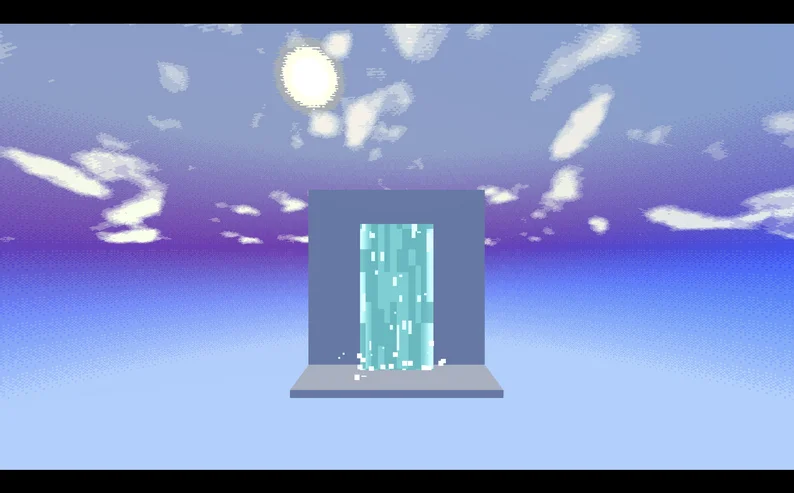
Pixel Waterfall 3D is a reusable Godot 4+ asset for creating stylized pixelated waterfall effects in 3D scenes.
It includes an animated shader-driven waterfall sheet, layered color controls, edge tinting, splash particles, render priority controls, presets, and example scenes.
The asset is designed to be easy to drag into a scene and customize from the Inspector.
Show full description...
- Pixelated animated waterfall shader
- Adjustable width and height
- Custom base, streak, highlight, and edge colors
- Flow speed, pixel resolution, detail scale, and opacity controls
- Big and small splash particle systems
- Splash color, amount, width, and size controls
- Render priority controls for transparency conflicts
- Built-in presets: Default, Small, Wide, Magic, Toxic
- Example scenes included
Quick Start
1. Copy the `pixel_waterfall` folder into your Godot project.
2. Drag `PixelWaterfall3D.tscn` into a 3D scene.
3. Select the root `PixelWaterfall3D` node.
4. Choose a preset or customize the Inspector values manually.
5. Position the root node where the top of the waterfall should begin.
Compatibility
Made for Godot 4.4+.
Current Limitations
This v0.1.0 release focuses on vertical waterfall sheets.
It does not currently include fountain arcs, curved waterfall meshes, stream cards, pipe pours, collision, audio hooks, or realistic water simulation.
Version
v0.1.0
Credits
Created for the Sospeero project
 GetAssetPack