GetAssetPack

Pixel Planet Generator

Pixel Planet Generator
Price
Free
Type
Art
Creator
Deep-Fold
Formats
PNG
Dimensions
2D
Style
Pixel art
Setting
Space
Engine
Godot
Animation
Animated

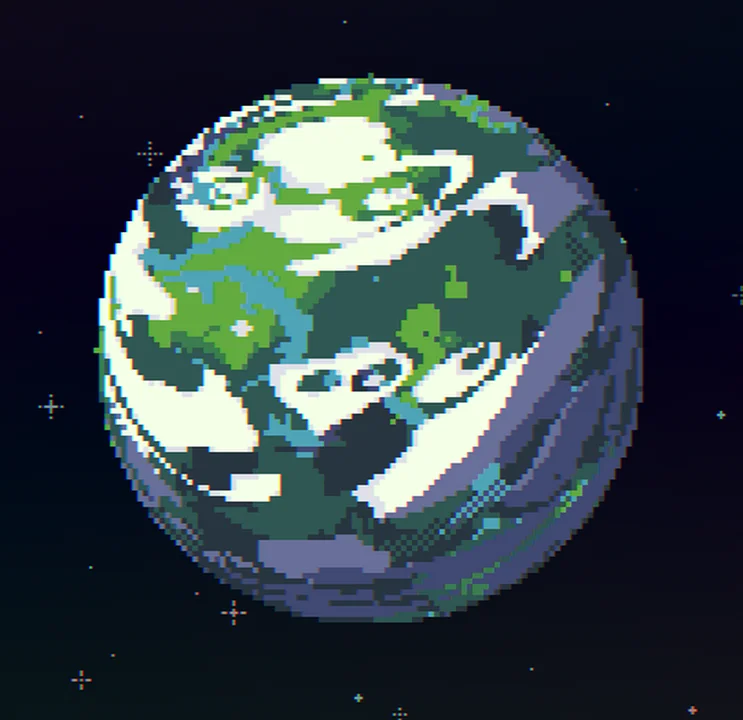
A Godot pixel art generator for eight planet types, black holes, galaxies, stars, and asteroids, with exports as PNGs, GIFs, or spritesheets.

Showcase of shader code for Godot game engine

Available on

Search by image

Upload a reference to find previews with similar colors, contrast, and detail.

Pixel Planet Generator

Pixel Planet Generator1 / 5
Deep-Fold · itch.ioFree
2D
Art
License not indexed
  • i Check the terms on the original listing.
Show full terms
FormatPNG

Showcase of shader code for Godot game engine

A Godot pixel art generator for eight planet types, black holes, galaxies, stars, and asteroids, with exports as PNGs, GIFs, or spritesheets.

View original listing

Description

About

A showcase of some shader code for Godot game engine. Currently there are 8 types of planets, also generates black holes, galaxies, stars and asteroids. Each type has a lot of possible variations. Also allows you to export any planets you like in either a png , gif or a spritesheet.

Drag your mouse around the planet to change the lighting.

Show full description...

If you want to use this for yourself you can download the source for the shader code. Lots more options for variations are available in the source.

This project is completely free to use and will stay free, but donations are very appreciated, thanks!

FAQ

  • Q: Can i use this in my game, tutorial, project, etc. ?
  • A: Yes, it's completely free, use it however you want. Credit is appreciated but not required.
  • Q: Is this available in Unity, etc?
  • A: The only official version is this one, but here are some ports other people have made:
  • Bevy Engine: Game tools Pixel gen by locuris
  • Monogame: MonoGame-Pixel-Planets by EnthusiastGuy
  • Unity: UniPixelPlanet by hmc
  • Defold: defold-pixel-planets by selimanac
  • Q: On the downloadable version, where do I find the exported files?
  • A: On Windows and Linux, in the same folder the program is. On MacOS under "~/Library/ApplicationSupport/Godot/
  • Q: How do I use spritesheets?
  • A: Determine how many frames you want for an entire rotation. Set this amount of frames for the width (or height). If this exceeds the file width limit, try increasing the other dimension (width/height) for more frames. And of course whatever tool you use to display animations has to support spritesheets.
  • Q: How do I use color import / export
  • A: Paste in a list of html color codes separated by newlines. Keep in mind that using the copy/paste from clipboard requires browser permissions. Also clipboard access seems to be disabled in firefox.
  • Feel free to ask me anything if something isn't clear, cheers!

Source

Source on Github: https://github.com/Deep-Fold/PixelPlanets

Available under MIT license. Credit is appreciated, but not required.

Tags

2DGeneratorGodotPixel ArtplanetplanetsShadersSpace

Downloads

Name your own price.