GetAssetPack

Mound Generator

Mound Generator
Price
Free
Type
3D Models
Creator
pjhanzlik
License
CC0
Formats
BLEND
Dimensions
3D

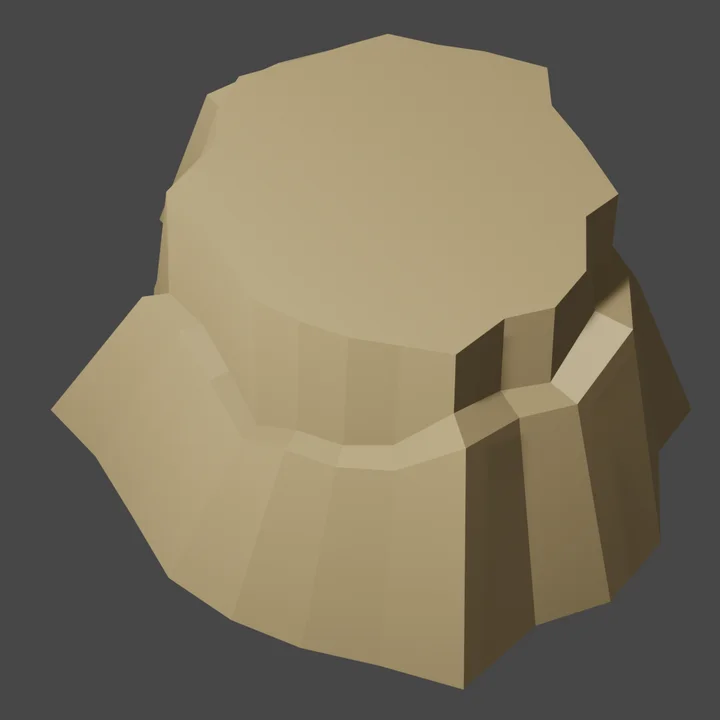
Generate low poly mounds from curves Geometry Nodes. The techniques used are from Pierrick Picaut's How I create simple environment for my animations projects . Has basic support for side shelves using Mesh Boolean Node. You can toggle side shelves off because there is quite the performance hit, and sometimes they just don't look good! Important Notes - New geometry is generated using this modifier, so make sure slotted materials are attached to the object (as opposed to the data of your original curves). If you don't know what I'm talking about, don't worry about it too much. You can always apply the modifier and then set materials to your mounds afterwards. - Fill Curve node in Blender 3.4.1 causes all curves your messing aorund with to teleport to the XY plane. However, losing Z axis control means you can easily make volcanos and other interesting shapes with overlapping curves. - This Blend file contains one prototype node setup using Curve Lines and Curve to Mesh nodes. The final modifier uses Fill Curve because punching holes in mounds with overlapping splines is intuitive, but the Curve to Mesh setup has a fun side effect as well. Placing multiple splines away from the origin leads to long mounds pointing towards a central point. Could probably be used to make an intersting sci-fi generator base mesh.

Available on

Search by image

Upload a reference to find previews with similar colors, contrast, and detail.

Mound Generator

Mound Generator1 / 4
pjhanzlik · OpenGameArtFree
3D Models
CC0 · Public domain dedication
  • ✓ Commercial use, edits and redistribution
  • ✓ Attribution is optional
  • i Trademark and privacy rights still apply
Show full terms
FormatBLEND

Generate low poly mounds from curves Geometry Nodes.  The techniques used are from Pierrick Picaut's How I create simple environment for my animations projects .  Has basic support for side shelves using Mesh Boolean Node. You can toggle side shelves off because there is quite the performance hit, and sometimes they just don't look good! Important Notes - New geometry is generated using this modifier, so make sure slotted materials are attached to the object (as opposed to the data of your original curves).  If you don't know what I'm talking about, don't worry about it too much.  You can always apply the modifier and then set materials to your mounds afterwards. - Fill Curve node in Blender 3.4.1 causes all curves your messing aorund with to teleport to the XY plane.  However, losing Z axis control means you can easily make volcanos and other interesting shapes with overlapping curves. - This Blend file contains one prototype node setup using Curve Lines and Curve to Mesh nodes.  The final modifier uses Fill Curve because punching holes in mounds with overlapping splines is intuitive, but the Curve to Mesh setup has a fun side effect as well. Placing multiple splines away from the origin leads to long mounds pointing towards a central point.  Could probably be used to make an intersting sci-fi generator base mesh.

View original listing

Tags

blenderMound