GetAssetPack

Animalese NPC Voices: Godot/Unity/UE5
Animalese NPC Voices: Godot/Unity/UE5
Price
$6.69
Type
Sounds
Creator
Joey Clover
Formats
WAV, OGG
Engine
Godot, Unity, Unreal

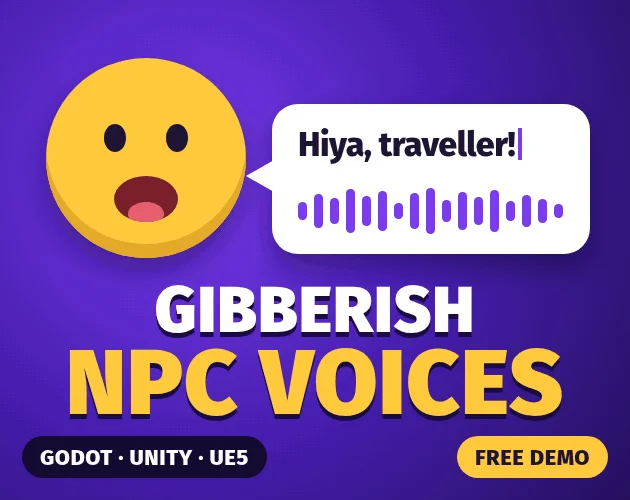
A text-to-gibberish NPC voice tool for Godot, Unity, and Unreal includes nine adjustable voices, lip-flap and typewriter timing, and WAV and OGG export.

Animalese-style NPC voices generated live from any text. Godot, Unity & UE5. 9 voices, free browser demo.

Available on

Search by image

Upload a reference to find previews with similar colors, contrast, and detail.

Animalese NPC Voices: Godot/Unity/UE5

Animalese NPC Voices: Godot/Unity/UE51 / 4
Joey Clover · itch.io$6.69
Sounds
License not indexed
  • i Check the terms on the original listing.
Show full terms
FormatsWAV, OGG

Animalese-style NPC voices generated live from any text. Godot, Unity & UE5. 9 voices, free browser demo.

A text-to-gibberish NPC voice tool for Godot, Unity, and Unreal includes nine adjustable voices, lip-flap and typewriter timing, and WAV and OGG export.

View original listing

Description

👉 Try every voice free in your browser

No download needed. Prefer audio files? Grab the free sample pack of 45 voice clips at the bottom of this page.

Give your characters a voice without recording a single line. Mumble Speak turns any text into gibberish character speech, the "babble" heard in games like Animal Crossing, Undertale and Banjo-Kazooie, for Godot, Unity and Unreal.

Features

Show full description...
  • One call to speak: say("Hello there!") in every engine.
  • Nine voices to start from, including an Animal Crossing-style animalese voice, plus deep, high, child, elder, creature, critter and robot, all adjustable.
  • Typewriter text and lip flap: the voice reports how many characters have been spoken and how open the mouth should be, so subtitles and mouths move in time.
  • Voice codes: design a voice in the demo, copy its code (such as animalese pitch=520 seed=14) and paste it into any engine.
  • Repeatable: the same line always sounds the same, and a seed gives each character their own variation.
  • No audio files: every sound is synthesised as the game runs, so there's nothing to record, store or license.
  • Any language: English letters are sounded out; Japanese, Cyrillic and other scripts become syllables too.
  • Export to WAV and OGG with the included command-line tool, including batches from a CSV file.

What's included

  • Godot 4.3+ addon for Windows, macOS, Linux, Android and iOS, with a demo project
  • Unity 2021.3+ package for Windows, macOS, Linux, Android and iOS
  • Unreal Engine 5 plugin (C++ source, compiled with your project for any platform it targets)
  • Command-line exporter for Windows, macOS (Apple silicon) and Linux
  • 8-page PDF guide covering every engine

Quick start

Godot: copy the addons/mumble_speak folder into your project, restart the editor and add a MumbleSpeaker node. Then:

$MumbleSpeaker.say("Hello!")

Unity: add the package with Package Manager > Add package from disk, then add Audio > Mumble Speaker to a GameObject. Then:

GetComponent<MumbleSpeaker>().Say("Hello!");

Unreal: copy the MumbleSpeech folder into your project's Plugins folder and add a Mumble Speech component. Then call Say from Blueprint, or from C++:

MumbleSpeech->Say(TEXT("Hello!"));

Audio files: export with the command-line tool:

mumble -t "Hello!" -o hello.ogg --voice "animalese"

Licence

Use Mumble Speak in any number of free or commercial games and apps you make, with no royalties. Please don't share or resell the SDK itself.

Tags

animalesedialogueGodotgodot-4Non-Player Characters (NPC)Sound effectsUndertaleUnityUnreal Enginevoice

Downloads