GetAssetPack

Look Switcher: swap your own Ren'Py GUI mid-story
Look Switcher: swap your own Ren'Py GUI mid-story
Price
$4.99
Type
Sprites
Creator
kestrelworks
Dimensions
2D
Genre
Visual novel

A Ren’Py GUI kit lets a visual novel switch between interface themes during the story or through player preferences, including colors, fonts, menus and buttons.

Switch between two or more of your own GUIs mid-game with one line of script. Players can pick a look too.

Available on

Search by image

Upload a reference to find previews with similar colors, contrast, and detail.

Look Switcher: swap your own Ren'Py GUI mid-story

Look Switcher: swap your own Ren'Py GUI mid-story1 / 4
kestrelworks · itch.io$4.99
2D
Sprites
License not indexed
  • i Check the terms on the original listing.
Show full terms

Switch between two or more of your own GUIs mid-game with one line of script. Players can pick a look too.

A Ren’Py GUI kit lets a visual novel switch between interface themes during the story or through player preferences, including colors, fonts, menus and buttons.

View original listing

Description

Want to switch between two different GUIs in the middle of your game? With Look Switcher it is one line at that story point:

$ looks.set("night", dissolve)

Your text box, menus and buttons change there: everything your gui/ folder and gui.rpy draw. Players can also pick a look themselves in Preferences, if you allow it.

Show full description...

Day and night, a flashback, a horror turn, a second character's chapter: when the story changes, the interface can change with it.

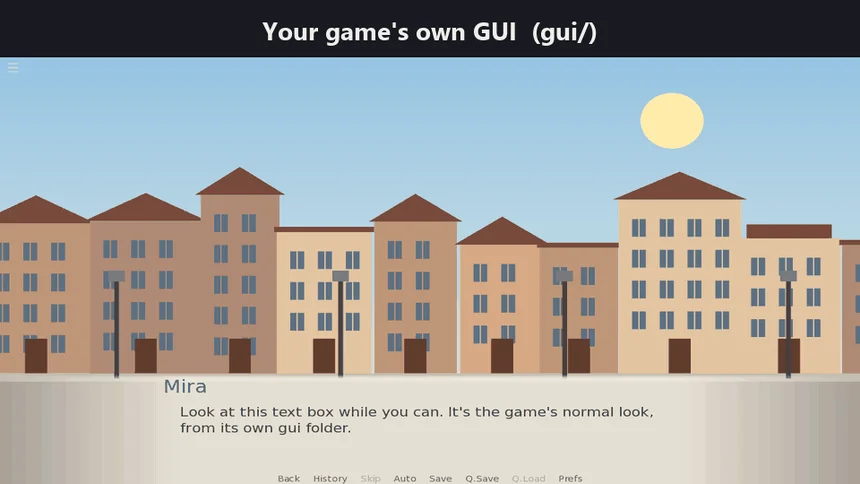
Try the demo above: the story switches from day to night, roll back with the mouse wheel to see the day again, and pick a look yourself in Preferences.

What it does

  • Uses YOUR OWN GUI. A look is a copy of your gui/ folder with other images (for example gui_night/). Files you don't change come from gui/.
  • Colours and fonts per look: wrap a value in gui.rpy, for example define gui.text_color = looks.pick(day="#404040", night="#ffffff")
  • Your screens.rpy stays yours. The kit doesn't replace it. You place the player's picker with one line: use look_picker
  • The story's look is saved with each save and follows rollback. A player's own pick is kept between sessions and wins over the story's look ("Follow the story" gives it back).
  • Ready for translation, tooltips too: every text the kit shows, and each look's name and tooltip, go through _(), so Ren'Py's "Generate Translations" picks them up with the rest of your game's text. Each look's tooltip shows under the picker.
  • Works in a game that already has its own screens: tested in Ren'Py's own sample game, The Question (its own screens.rpy, 12 translations).
  • One .rpy file, for Ren'Py 8 (tested on Ren'Py 8.6.1: Windows desktop and web build).

What's in the zip

  • game/look_switcher.rpy: the kit
  • game/my_looks_example.rpy: the lines you write to add your looks
  • README.txt: install in about 10 minutes, a second look, colours and fonts, the picker, translations, limits
  • demo_project/: the web demo's Ren'Py project, to open in the launcher

Free: Look Switcher Lite

The free download below is the player's picker on its own (no story switching). Moving up to the full kit means replacing one file: your lines and the players' picks stay.

Limits

  • A look's folder uses the same file names and sub-folders as gui/.
  • Screens that draw an image from outside gui/ keep that image.
  • The kit's name in your script is looks: a variable of your own called looks has to be renamed.

Licence

Use it in any game you make, free or commercial. Credit is welcome, not required. Please don't resell or share the kit itself.

Questions or a problem: leave a comment here. Kestrelworks reads them.

Tags

dark-modeGraphical User Interface (GUI)localizationRen'Pythemesui-kitUser Interface (UI)

Downloads