Give your players a polished build mode without writing one from scratch. Grid Placement is a ready-to-use Godot plugin for placing, previewing, moving, rotating, and demolishing objects on a grid, plus painting terrain with brushes. Drop it into your project, start from a working demo, and ship.
Show full description...
Godot 4.5+ · Full GDScript source · Ready-to-run 2D and 3D demos · Royalty-free for commercial games
Get Grid Placement → · Play the free browser demo ↑
Why Godot developers choose Grid Placement
- Complete out of the box. Placement, validation, previews, editing, terrain brushes, save/load hooks, and a styled build UI all work together from day one.
- 2D and 3D in one plugin. TileMapLayer and GridMap, square, isometric, and hex grids, side-view and top-down.
- Start with working examples. Explore playable demos and adapt their placement scenes, UI, and rules to your own project.
- Yours to change. Readable, editable GDScript. No black boxes, no runtime fees, no lock-in.
- Fits your game, not the other way around. Keep your own inventory, costs, unlocks, save format, and art.
2D build mode: preview it, then place it
Paint fences, roads, and floors with TileMapLayer terrain brushes: single cell, line, rectangle, outline, and flood fill. Then drop objects onto the same grid with a live valid/blocked preview.
3D building: snap structures, arrange props
Snap walls, doors, floors, and roofs into modular buildings on a GridMap, or switch to free placement for furniture and decoration. Mount pieces on edges, faces, and sockets, with support rules so structures stay believable.
Paint 3D terrain cell by cell or in line and rectangle drags, and see every action in the built-in activity log.
Everything a build mode needs
- Live previews and validation: occupied cells, collisions, map bounds, and your own custom rules, shown before the player commits.
- Move, rotate, demolish, and flip (2D): full layout editing with per-object permissions.
- Brush tools: place in lines and rectangles, not one click at a time.
- Game economy hooks: building costs, unlocks, and optional demolish refunds, wired to your own inventory through cost rules you write.
- Save and load: persist player creations through your own save system.
- Ready-made build UI: themed catalog, tool bar, mode switcher, and activity log you can restyle from one theme file.
Build with different grid styles
Square, isometric, and hex maps use the same tools and rules, and a side-scrolling platformer demo shows placement in a side-view world.
Built for
City builders · colony sims · farming games · factory and automation games · RTS base building · tower defense · survival crafting · sandbox builders · puzzle games · in-game level editors
What's in the download
- The Grid Placement plugin with full, editable GDScript source.
- Ready-to-run demos: top-down, isometric, hex, platformer, and 3D workflows, including a 3D isometric example. Use them as starting points for your own game.
- Starter scenes and UI templates to adapt to your game.
- Documentation: setup, custom rules, save/load, migration, and troubleshooting guides.
- A royalty-free license for commercial and non-commercial projects.
Start from a working game, not a blank project
- Try the browser demo. No download needed.
- Open a demo and add your first object by following the Getting Started guide.
- Connect your rules and saves. Your inventory, costs, and save format stay yours.
Watch the full tutorial
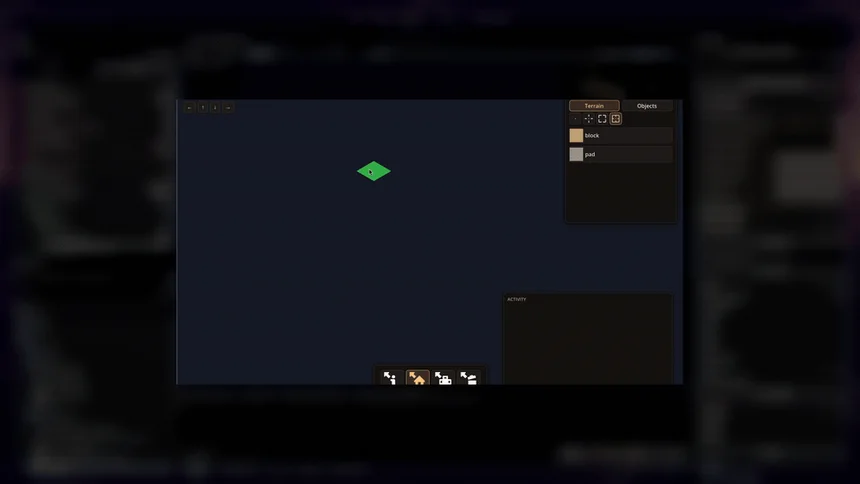
One complete 3D setup, start to finish, in about fifteen minutes: enable the plugin, run the one-click editor setups (hierarchy, UI, and the input actions), build the placement resources, then paint a pad and stack crates on it. The same steps are written out on the site, each linked to the second it happens in the recording.
Read the written walkthrough → · More Grid Placement tutorials →
FAQ
Which Godot versions are supported?
Godot 4.5 and newer. Release exports are built with Godot 4.7. A separately labeled legacy 5.x download remains available for existing 5.x projects.
How much Godot experience do I need?
You should be comfortable with scenes, nodes, the Inspector, and basic GDScript. The demos give you working setups to copy.
Can I use it in a commercial game?
Yes, royalty-free, and you can modify it and share it with your team. Credit is appreciated but not required. Reselling or redistributing the plugin itself is not allowed. Read the license.
What does the 3D workflow cover?
Modular GridMap building with grid and free placement, edge/face/socket mounts, support rules, and terrain painting by cell, line, and rectangle. It does not sculpt or deform terrain meshes, and flood fill is 2D-only. See the 3D guide.
I own Grid Building or an earlier Grid Placement. Do I pay again?
No. Updates in the 6.x line are included for existing owners. Back up your project before upgrading, and check the migration guide for any changes your game code needs.
Where do I get help?
Check troubleshooting, ask on this page, or join the Discord.
Complete the set
Item Vault for Godot 4 — define items once and reuse them across pickups, inventories, loot tables, crafting, shops, and saves.
Calendar Time for Godot 4 — give calendars, growth, and day/night logic a shared game clock.
They pair naturally with Grid Placement: a cost rule you write can spend items from your vault, and construction can run on your game clock. Each plugin is sold on its own and works without the others.
Add a build mode to your Godot game today.
Get Grid Placement →
Documentation · Devlogs & release notes
 GetAssetPack