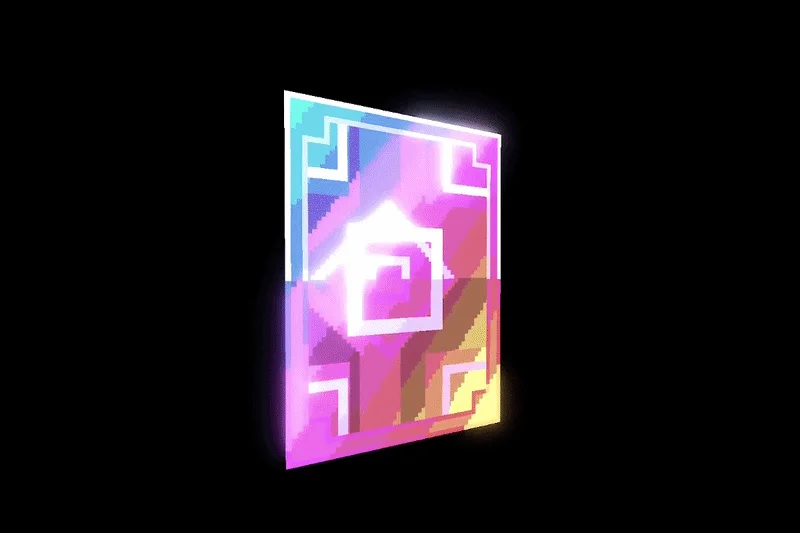
With these effects you can make your card games shine in Godot 4.x. Parallax layers, shine, holographic, foil effect, rarity levels and much more is possible with these shaders. Made for Sprite3Ds, but will work on any 3D surface. A 2D version is coming soon.
Show full description...
- Parallax mapping with 5 layers by default and customizable depth (can be increased, but because dynamic arrays don't work in shaders you have to do it manually).
- Holographic rainbow effect (Based on hue shifting)
- How much viewing angle affects it is also customizable.
- Shine effect
- Customized similarly to holo effect
- Holo and shine effect direction and steps easily customizable.
- Effects mapped using texture pixel size, meaning it works well with pixel art (but other styles are supported as well)
- Invertable value resulting in a nice negative look (does not invert all colors, only the value)
- HSV Based color replacement meaning you can easily change colors without losing detail, since saturation and value are preserved.
- Also ability to mask which areas to replace (shown in the yellow, red, purple and cyan cards in fourth GIF)
Versions
This pack has two versions. Everything is achievable with the free version, but full version offers convenience.
Free Version
- Free version includes everything you need to achieve these effects
- All the shaders you can build off of. Both parallax and non parallax versions
- Shader-includes that help operating on HSV values and generating the effects.
Full Version
- 24 presets like holo, diamond, foil, negative and colored tier effects.
- Presets come in both parallax and non-parallax versions.
- Default card sprite with seperate layers and a full version.
- Demo scene
Usage
As a Spatial shader this of course works on any 3D surface, but if you'd like to use it with a Sprite3D then it's highly suggested you first create the Sprite3D and assign your texture to it so the scaling fits, then add the material and assign your textures there.
Not enough layers?
Due to dynamic arrays not being supported in shaders you'll have to manually add new layers. Within the parallax_card.gdshader there are commented example lines for all the needed parts to add extra layers for the parallax effect.
Gradient size and steps
Do note that gradient size controls both the direction and size of the gradient that controls holo and shine.
The effect_steps value is what gives hard edges for the holo and shine effect, but if you want a smooth gradient you can set the steps to 0.
Licensing
You're free to use the assets in this pack for personal, educational and commercial projects with no attribution required (CC0).
Mentioning me is always appreciated though, and if you use these effects in your game leave a comment. Would love to showcase your game on my page!
Yes I know it says "Cick" and not "Click"
More stuff from me:
 GetAssetPack