Meoww Magic: Free Ren’Py & Python Spellbook – Mastering Lists, Functions, and Interactions
Show full description...
~Hiii, my dear code adventurers! Mia here, anddd I’m beyond excited to share with you my two meowww Ren'Py and Python free scripts. One is a Python-only script you can run in your terminal (you can also see the code in any meoww code editor like Visual Studio Code), and the other is a Ren’Py script that seamlessly blends Python logic into your meoww Visual Novel. Both are packed in one adorable folder! ~Ready for you to explore with me!
🍪🐾(=^・^=)🩵💌 What’s Inside These Meoww Scripts?
🔹 Lists: I show you how to create a party list so you can easily keep track of all your heroic names.
🔹 Functions: Learn to cast spells that add mana, enchant your swords, and greet your heroes! ~All with a few lines of code.
🔹 User Interactions: Discover how to ask for names, gather menu choices, and even parse numbers for dynamic, interactive quests.
These examples are purrfect whether you’re a Python adventurer or you prefer the immersive world of Ren’Py. Together, let's bring your meoww dreams to life!
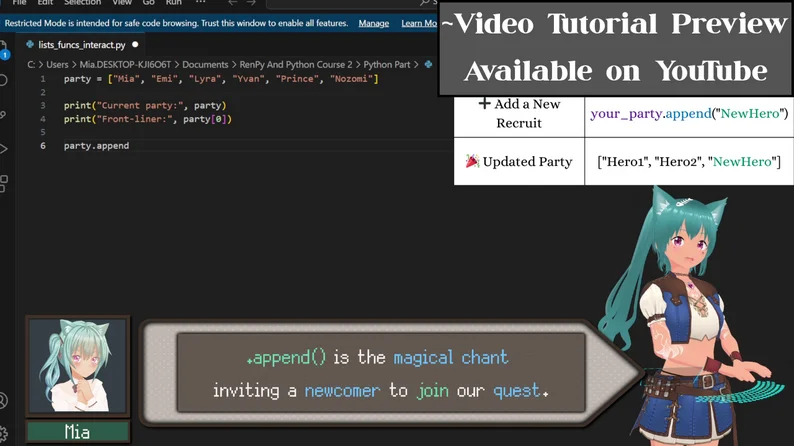
📼✨(^u^)📅 Video Tutorial: Coming Very Soon!
I’m currently exporting the meoww Ren'Py and Python video guide that walks you through every step of these scripts with plenty of meoww tips. Stay meoww tuned and subscribe for free to my meoww channel so you’ll be notified when it’s ready in just a 2-3 days when exportation will be done!
~How to Use These Meoww Scripts
💻🐾(=^・^=)💓🔹 1. Download & Unzip
Download the folder that contains both the Python and Ren’Py scripts, then unzip it anywhere on your computer. It’s your treasure chest for this coding adventure! ~Let’s open it together!
🐍🐾(=^・^=)📗🔹 2. Python Part
~Meoww Goal: Run the script in your Command Prompt (or Terminal) and see your heroic text prompts come to life.
Step 2-A: Open a Command Prompt/Terminal
On Windows, simply type "cmd" in your Start menu. If you’re on macOS or Linux, open your Terminal app.
Step 2-B: Locate the Script
Use the meoww "cd" command followed by the folder path where the Python script is located.
cd C:\Users\YourName\Desktop\How to\Python Part
Step 2-C: Run the Python File
Type the following command and hit Enter:
python python-lists-functions-interactions.py
Step 2-D: Enjoy the Meoww Output
Follow the on-screen prompts: enter your name, choose your meoww spells, and enchant your sword! Your meowww quest unfolds right before your eyes!
🖌️🐾(=^・^=)📙🔹 3. Ren’Py Part
~Meoww Goal: Integrate these magical scripts into your Visual novel, letting your players cast spells during their adventure.
Step 3-A: Open Ren’Py Preferences
Launch Ren’Py and click "Preferences" at the bottom right.
Step 3-B: Locate Your Projects Directory
Find the folder where you keep your Ren’Py projects. This is where your meoww adventure truly begins!
Step 3-C: Copy-Paste the Project Folder
Move the unzipped "RenPy Lists Functions And Interactions" folder into your Projects Directory.
Step 3-D: Refresh the List
Click "Refresh" in the Ren’Py launcher so that your new project appears in the list.
Step 3-E: Open & Tweak
Click on your meoww project to run it, or open the script.rpy file to customize the spells and interactions to your heart’s desire.
🛠️✨/ᐠ - ˕ •マ💕 ~Ready to Begin Your Meoww Quest with Me?
🔹 Download the folder now and choose your adventure: run the Python script for a quick terminal quest, or integrate the Ren’Py script into your Visual Novel for a fully immersive experience. My upcoming video tutorial coming in 2-3 days will guide you through every magical detail, ~soooo pleassse subscribe for free on my meoww channel and join me on this enchanting meowwgical journey.
~Join me here: https://www.youtube.com/@MiaCodeExpedition/videos
If you have any questions or want to share your epic meoww creation, please reach out to me! I’m all ears (~and whiskers, fufufu)! Your adventure has just begun, so go forth, cast spells, pleaase write me and let your meoww code sparkle! 💗
Thank you sooo much for joining me, my dear code adventurers. Stay meoww tuned! ~Have a meoww blessed day and love youuu!
Mia ✨🐾(≧◡≦)📖💖
 GetAssetPack