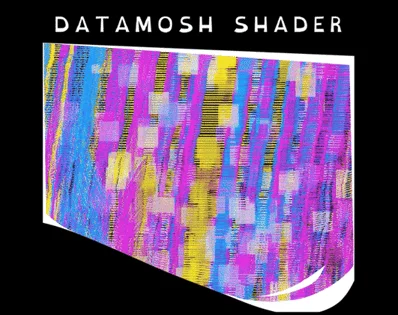
Datamoshing is an effect that occurs when a keyframe is corrupted or missing, in MPEG video compression. It smears the screen every frame of the video.
This asset is an addon for the Godot Engine that enables a Datamoshing effect to be added to any Compositor in your project.
Show full description...
Simply unpack the .zip folder into your project folder, reload the editor, and it'll show up to be enabled anywhere!
It should be fully compatible with XR (AR/VR), but we lack an XR device to properly test it at the moment.
You can choose to datamosh a visible or invisible mesh, your entire world or just one mesh. It can be pixelated, or pixel perfect. Customizability is the name of the game here.
Due to a Godot limitation, this effect only works on 3D scenes.
To datamosh 2D scenes, you must use a MeshInstance3D with a Quad mesh, and render the 2D viewport to the texture of the quad, and apply the effect to the 3D scene.
If you're unsure about using the Compositor, read here to learn more.
This is compatible with Godot 4.4 and upwards, and only for Forward+ and Mobile renderers.
Keep in mind that this kind of temporal effect is rather expensive and taxing on the graphics card. It is optimized by not being applied to the entire screen.
Having an object with the effect be too close to the screen, or applying it to your entire level may significantly impact your scene's performance.
This asset was made by humans.
See also
 GetAssetPack