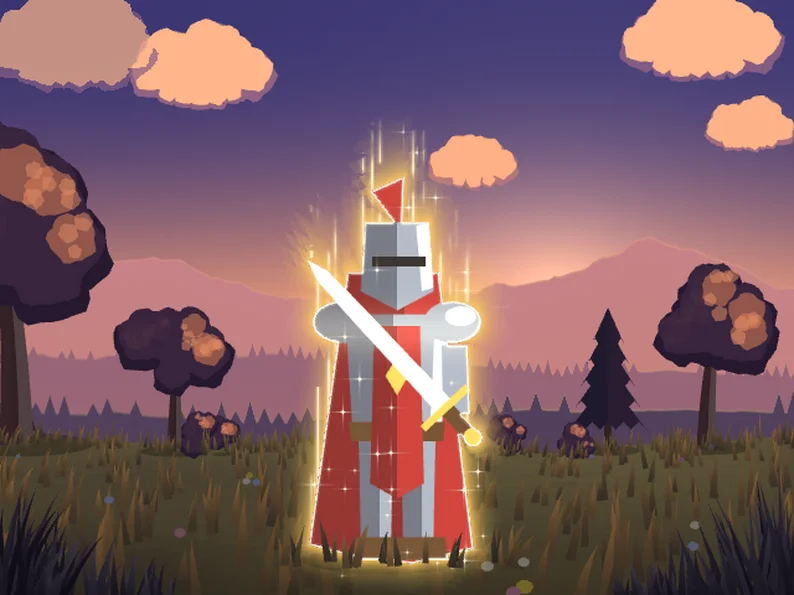
Set your enemies on fire, freeze them, poison them or turn them to stone, with one value to tween. Nine status effects and a shockwave for Godot 4, made for 2D sprites.
This pack is also in the Almios Complete Collection: all 15 paid packs for 29.99 USD, less than a third of their prices one by one.
Show full description...
Ten commented .gdshader files, tested on Godot 4.3 and 4.7, Forward+, Mobile and Compatibility. Sixteen 128 px sprites under a status cost 0.01 to 0.8 ms of GPU time.
Try it in your browser above: click a character, press 1 to 9 for burn, frost, electric, poison, bleed, petrify, curse, holy and cloak, right click for a shockwave. The same demo ships in the pack.
Each status goes straight on your character's sprite. The sprite keeps its own light and shade, and the effect is added on top and around it. Tween one amount value from 0 to 1 to apply a status, back to 0 to cure it.
The effects
- Burn: flames climb out of the silhouette, the body chars and cracks with glowing embers, sparks fly up, a little smoke rises.
- Frost: the sprite turns to ice in a few clean tones, white frost grows in from the edge, crystals spike out, glints twinkle.
- Electric: arcs crawl around the silhouette and jump several times a second, with a charged glow and the occasional flash.
- Poison: the sprite sickens but stays readable, the rim pulses, bubbles rise and pop, a toxic haze wavers around it.
- Bleed: a heartbeat red pulse, gashes open on the sprite, drops run down from them.
- Petrify: stone climbs from the feet up, cracks spread as it sets, dust trickles down.
- Curse: dark corruption creeps in from the outline with slowly pulsing glowing veins and a dark aura of wisps.
- Holy: bright rim light, soft golden halo, thin rays rising and cross-shaped glints.
- Cloak: invisibility. The body fades behind a moving shimmer and flickers back now and then; a thin outline keeps it readable.
- Shockwave: an expanding ring that displaces everything behind it. Only the ring is drawn, never its box.
Quick start
Copy the shaders/ folder into your project, give the sprite a ShaderMaterial with the effect you want, then tween amount:
create_tween().tween_method( func(v): mat.set_shader_parameter("amount", v), 0.0, 1.0, 0.6)
The demo script shows the exact apply and cure code. For the shockwave, put a ColorRect with a BackBufferCopy before it and tween age on each blast.
Tip: leave some transparent pixels around the sprite for the flames, arcs, crystals, haze and auras. Most character sprites already have them.
Made to be customised
Every colour, size and intensity is an Inspector value: green crystal curses, purple void lightning, a purple hex instead of green poison. Burn, frost, petrify, curse and cloak have a stylize switch for crisp tones or a soft blend. Give each enemy a different time_offset and a burning crowd no longer flickers in step.
Sprite sheets in one line
On a tight sprite sheet, effects drawn around the silhouette get cut at the edge of each frame. One call pads the sheet and the animation keeps working:
ElementalSheet.pad_sprite($Sprite2D) $Anim.sprite_frames = ElementalSheet.pad_frames($Anim.sprite_frames) # an AnimatedSprite2D
Sprites using the same sheet share one padded texture, so fifty enemies do not make fifty copies.
On a Sprite2D sheet, tick frame_local on the status: the wounds, cracks, veins and bubbles then stay on the same spot of the body from frame to frame, even when the character turns.
Cost
Sixteen sprites of 128 px under one status, GPU time on an RTX 4070 Ti, Forward+: bleed 0.01 ms, cloak 0.02, poison 0.11, frost 0.12, petrify 0.16, electric 0.2, curse 0.46, holy 0.48, burn 0.83 (its flames draw a larger area). Compatibility is about the same. Bigger sprites cost more, since the shaders run on every pixel they cover.
What is inside
- 10 commented .gdshader files
- ElementalSheet for sprite sheets
- An interactive demo with four characters
- README with a parameter table and copy-paste code
License
Use in unlimited personal and commercial projects, modify freely. Please do not resell or redistribute the pack itself.
More from Dimension Almios
- Lightning FX: procedural lightning for 2D and 3D, strikes, chains and arcs
- Game Feel Kit: hitstop, screen shake, flash, spark and impact frames in one line of code
- Trails FX: sword trails, afterimages and slash arcs for 2D
- Magic Circle FX: spell circles under your casters, 15 presets and thousands of generated ones
- Aura & Ambient FX: fire, smoke, shields, heal auras, fog and snow
Every pack we make, free and paid, is on one page: dimensionalmios.itch.io
 GetAssetPack