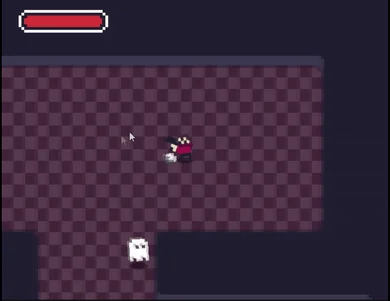
This project is a Unity package containing scripts as well as example assets/scene. The example scene uses Unity's new input system by default as well as cinemachine for the follow camera, you will need to install them via Unity's package manager in order for the example to work properly.
This package is compatible with Unity 2019.3 or newer versions.
Show full description...
This project contains a lot of scripts to allow the user to easily customize the behaviors attached to an entity.
The full version include a documentation explaining how to use the package and also how to modify the existing code if needed. It also contains newer revisions of some parts of the code.
Installation
This plugin is compatible with Unity 2019 or older, before importing the plugin in your project, make sure that your:
- Install the Input System and Cinemachine package (To install a package from Unity go to Window -> Package Manager -> Search for the name of the package and install the plugin (if you can't find it in the results make sure that you set the list of packages to display the content of Unity registry at the top left of the window))
- Make sure your project uses the new Input System package (Edit -> Project Settings -> Player -> Other Settings -> Active Input handling -> Input System Package (new)
After that if your have any issue try to re-import the plugin and restart the editor, if the issue persist please feel free to leave a comment with the error you're facine and the Unity version you are using.
Features
- Top down movement with 2D sprites
- Top down shooting mechanic
- Top down melee attack mechanic
- Health and damage system
- Reusable scripts between player and enemies
- Sound and visual effects system
- Highly customizable stats and power-ups
- Playable with mouse/keyboard or with a controller
- Easy to implements enemy AIs
How it works
In order to use this package you should check the example scene located at Sample/Scenes/TopDownExampleScene. This scene and its content should give you a rough idea of how this system works.
This packages uses dynamic rigidbodies for the physics and movements and by playing with its values as well as the speed of the character you can achieve different style of movement.
This packages also uses Unity's tags and layers systems so be careful to properly set those in order for the enemies to behave properly and the bullets to actually hit the right type of entities.
For an entity to be valid it needs at least a script extending from TopDownCharacterController this script will be in charge of creating the events (such as OnMove, OnAttack...) and transmit them to the other components of the system. In case you want an entity to have an AI you can take a look at some other example controllers (Scripts/Controllers/TopDownRangeEnemyControler for example) to see how to write your own implementation.
An entity will also need a CharacterStatHandler component to work since it contains some important values such as the speed and max health of the entity, as well as its attack properties (At the moment the an attack can be both ranged with a gun or melee, and a configuration for those attacks can be created by right clicking in the project hierarchy and selecting Create -> TopDownController -> Attacks -> Shoot / CloseCombat)
Feel free to ask questions in the comments if you need help with something.
 GetAssetPack